
Cotoami as a Knowledge-Centric ChatGPT Client
Posted: July 9, 2025 Filed under: uncategorized | Tags: ai, artificial-intelligence, ChatGPT, knowledge-management, LLM, open-source, technology Leave a commentHello everyone! Today, I’d like to introduce a new feature in Cotoami: the ChatGPT plugin.
If I had to name one major difference between Cotoami and Piggydb, it would be the adoption of a chat-like interface to lower the barrier to input. The idea is that even a quick, one-line note—or information that might turn out to be completely useless later—can be entered without hesitation.
On top of that, Cotoami allows you to connect databases with each other, forming a network. This means that when you’re working on a shared database, registering information into a knowledge base essentially becomes a chat. And when it feels like a conversation, the psychological hurdle of writing things down drops even further. This is the underlying philosophy of Cotoami: start small and grow over time, or distinguish between “flow” and “stock.”
I’ve long thought that this kind of system would work well with an AI chatbot. But since Cotoami is fundamentally designed to be a standalone, privacy-friendly application that works offline, I hadn’t planned to include such functionality by default. However, once the core features of Cotoami were in place, I began experimenting with an extension mechanism using WebAssembly. As the first official plugin using this system, I’m happy to introduce the ChatGPT plugin.
Cotoami Desktop v0.8.0 Release Notes
This plugin makes full use of Cotoami’s unique features to provide some really powerful capabilities. If you’re curious, I encourage you to give it a try.
Here’s how it works at a basic level: if you post a note that starts with #chatgpt, it will trigger a response from the ChatGPT API.
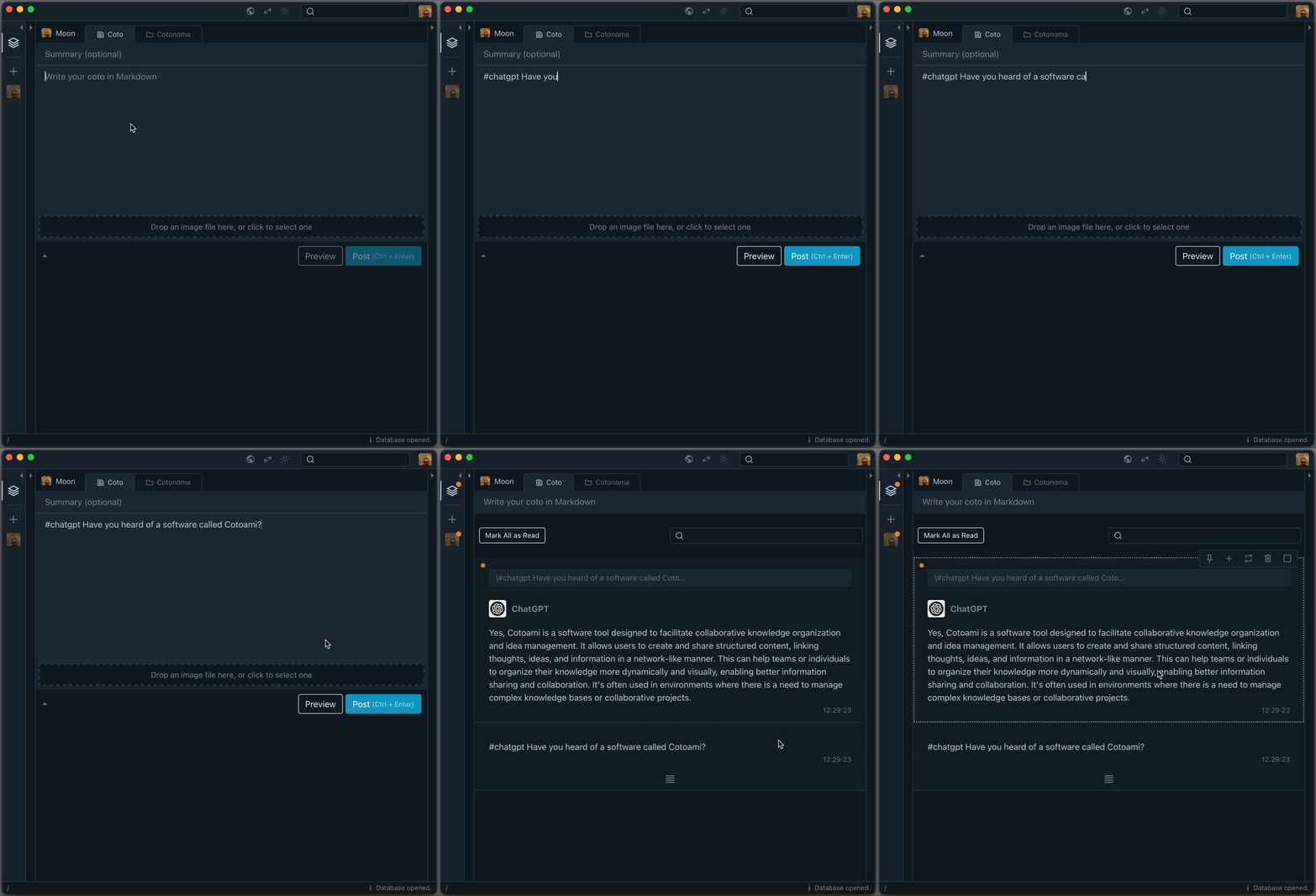
The response is saved in your Cotoami database, which means you can treat it as part of your growing knowledge graph. You can pin important replies or embed them into larger documents.
But simply asking one-off questions doesn’t bring out the full potential of large language models. That’s why Cotoami lets you pass your previously accumulated knowledge graph as contextual information to the ChatGPT plugin. This is the first unique feature of Cotoami’s integration.
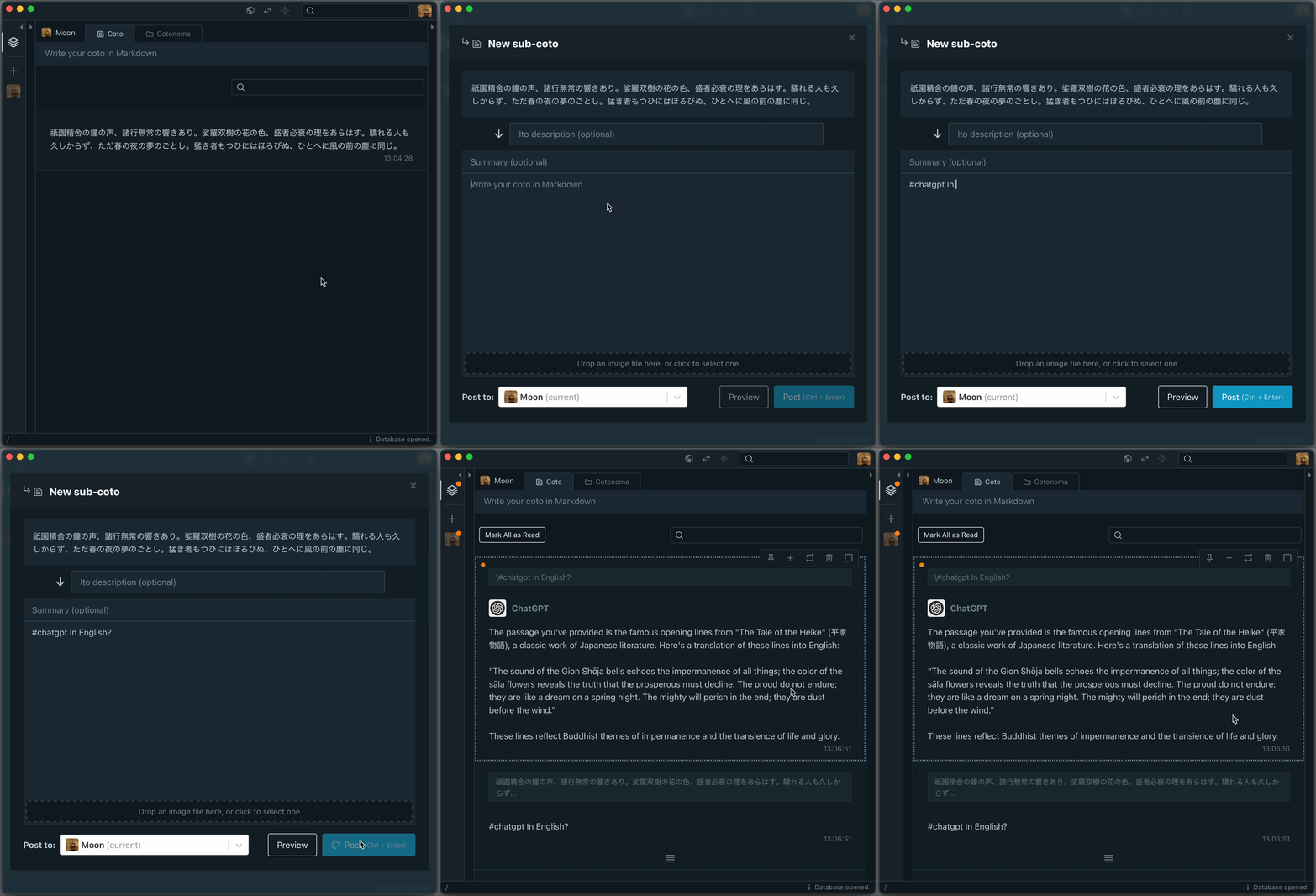
Because you can freely edit your knowledge graph, you’re able to prepare and customize the context before sending it to the LLM—by combining multiple threads, trimming away irrelevant parts, and so on.
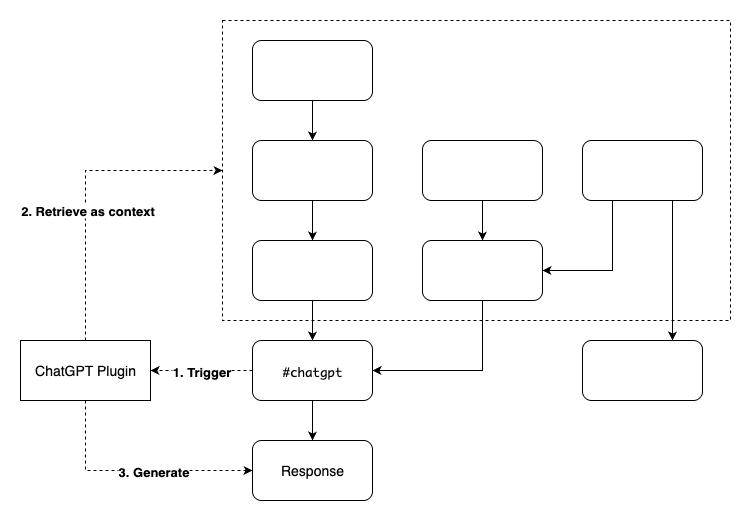
The second unique feature is that the ChatGPT plugin can recognize the authors of each Coto included in the context. This allows it to answer questions about who said what. It’s particularly useful in situations that involve group discussions.

That’s the overview of the new ChatGPT plugin. What do you think? If there’s enough interest, I might create plugins for other LLMs as well. I’d love to hear your feedback!

 Piggydb
Recent Comments