
Introducing the New Masonry Layout for Stocks in Cotoami
Posted: August 22, 2025 Filed under: uncategorized | Tags: knowledge-management, open-source, technology Leave a commentCotoami offers two main ways to view your input: Flow and Stock. In the screenshot below, the left side shows the Flow timeline, while the right side displays pinned items in the Stock.
Flow is an unstructured stream of posts arranged in chronological order, where you can casually throw in any information without hesitation. From there, you can pin items that matter to you and collect them in the Stock on the right, gradually building a structured knowledge base. This is the basic way to use Cotoami.
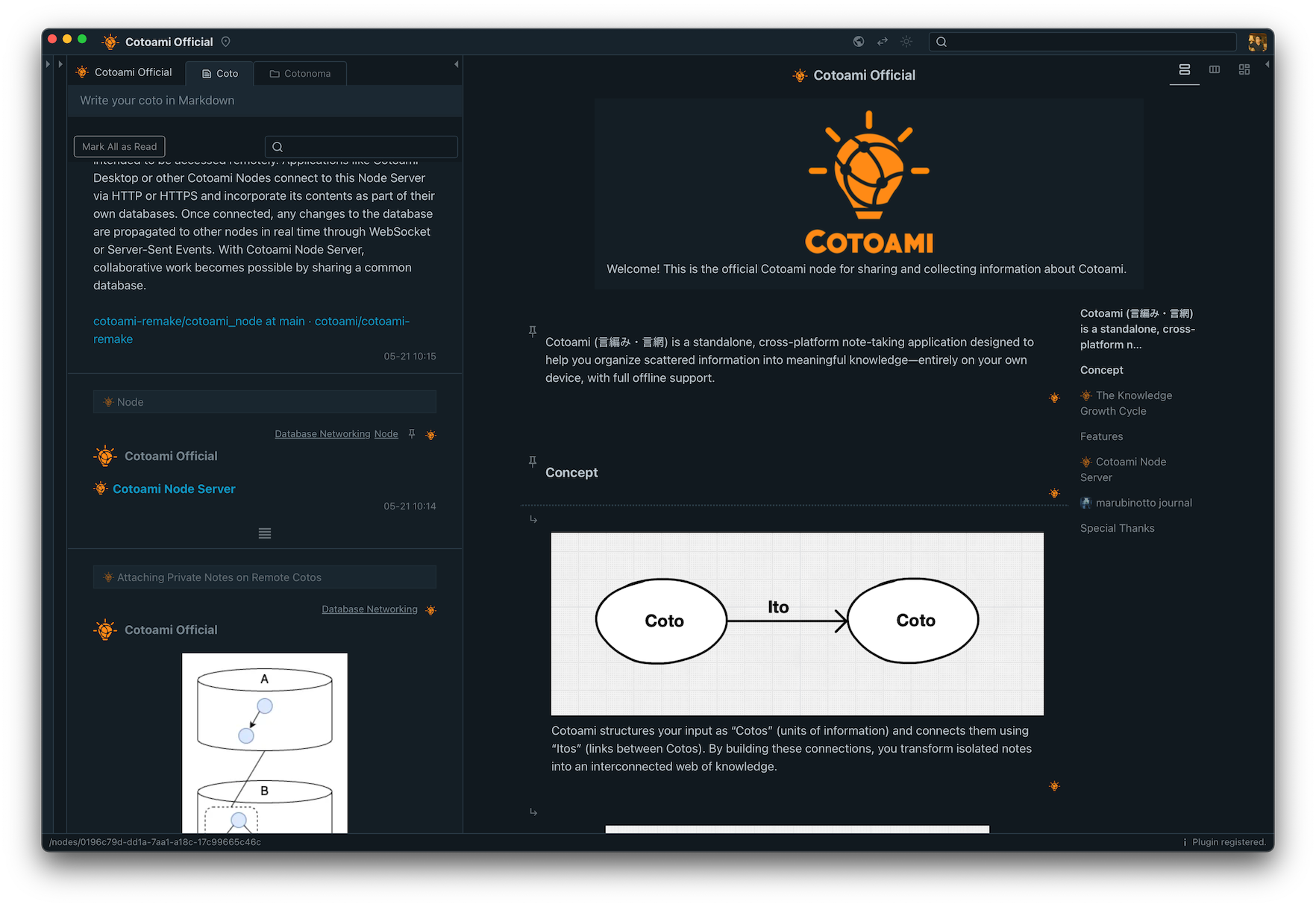
Until now, Cotoami has provided two layouts for viewing Stocks: Document and Columns.
In the screenshot above, the Stock is shown in Document layout, with a table of contents on the right. This makes it easy to “read” the information as a standard document, which works especially well when you have a Stock with a lot of text.
With Columns, information is displayed side by side, as shown below. This layout is particularly effective for Stocks that include many lists, such as TODO lists. Personally, I often use it like a kanban board.
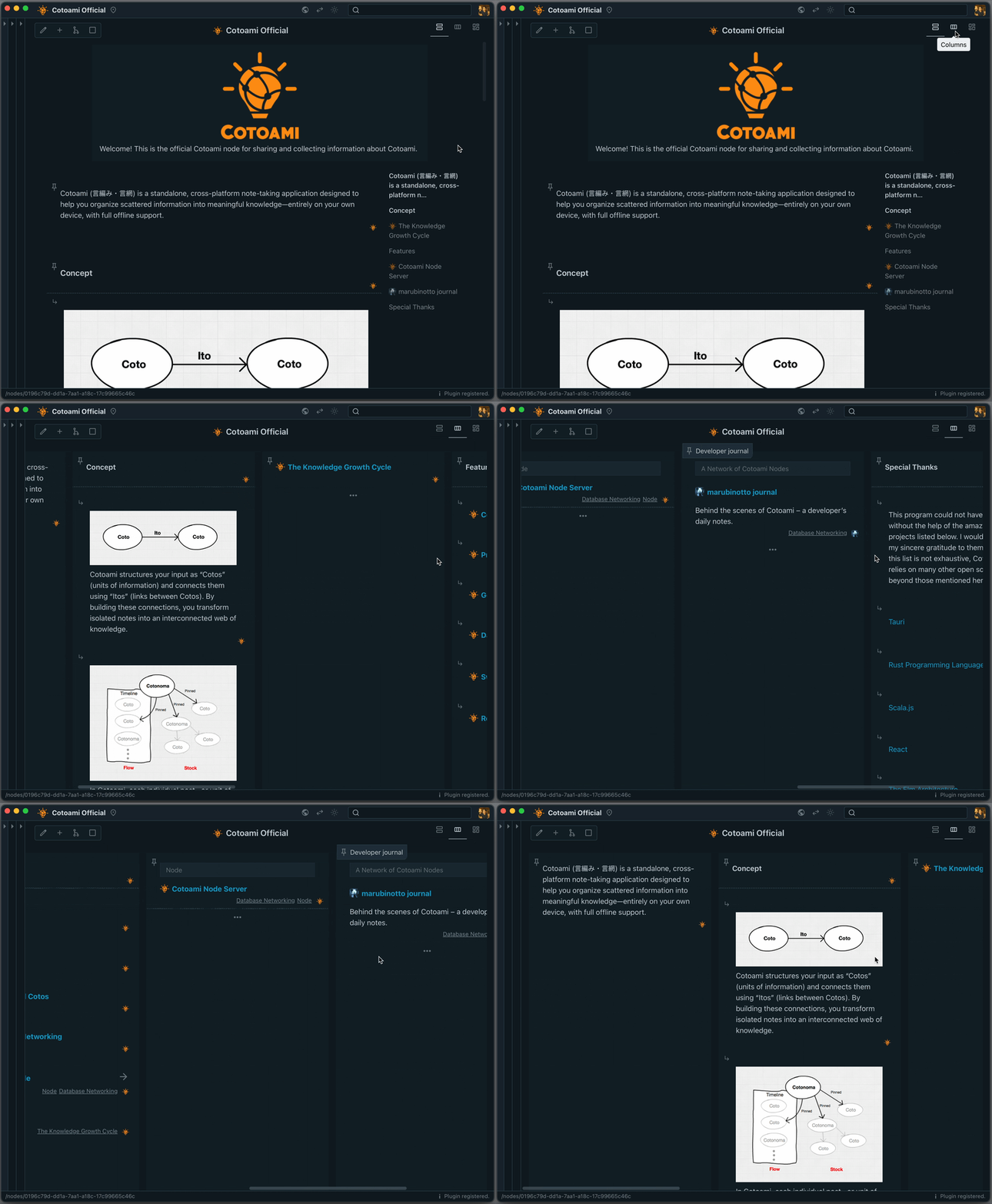
In the latest version of Cotoami, I’ve added a new layout: Masonry. This layout arranges individual items in a compact, tiled style, making it easy to take in the big picture of your Stock at a glance. You can also adjust the element size with a slider.
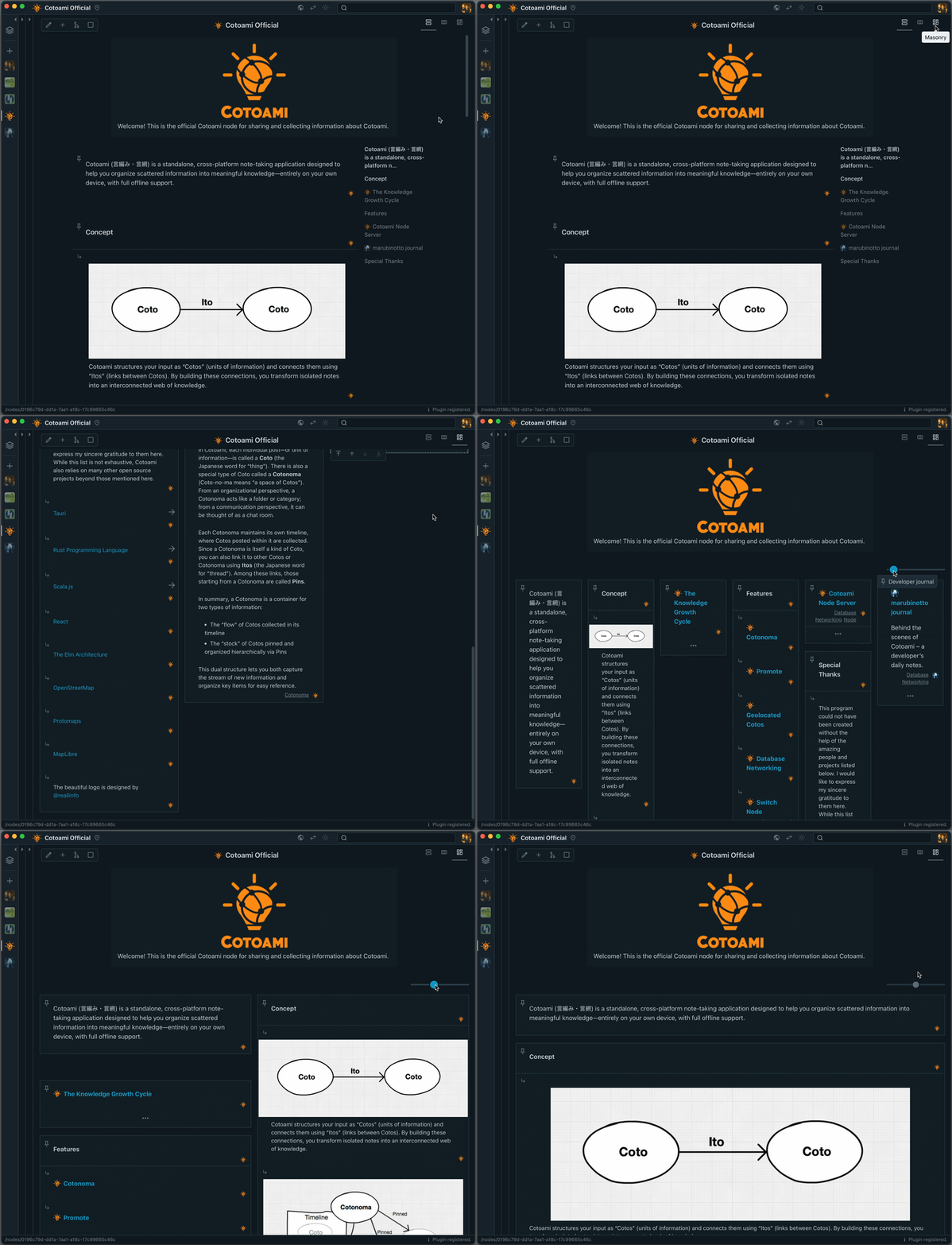
The masonry layout is especially useful when working with Stocks that contain a lot of images, as shown below.
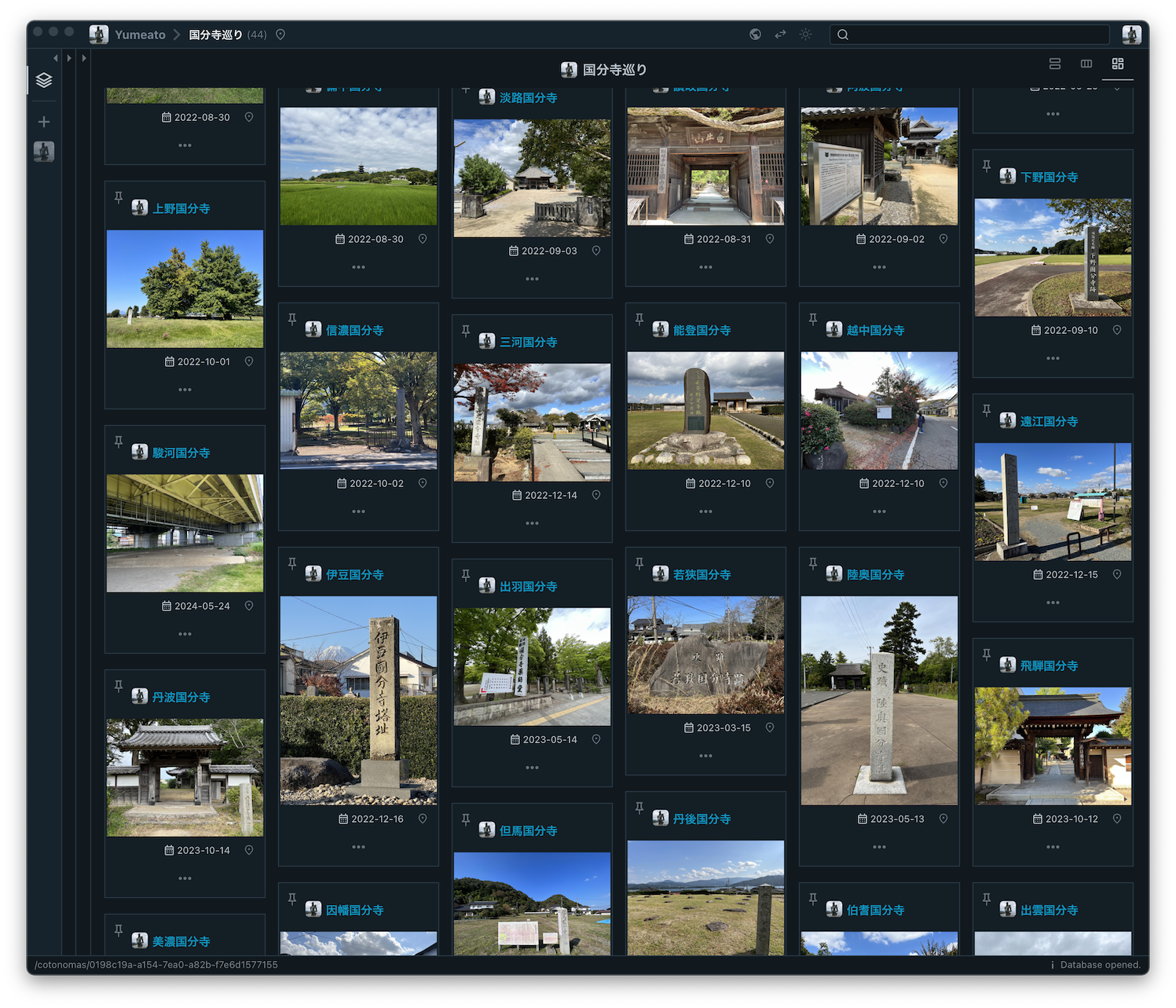
What do you think of this new feature? Since I use Cotoami to plan and record my travels, this addition has become personally very important to me.
If you haven’t tried Cotoami yet, please download it from the release page below and give it a try. Installation packages are available for macOS, Linux, and Windows. And I’d love to hear your feedback!
https://github.com/cotoami/cotoami-remake/releases/tag/desktop-v0.10.0
Cotoami as a Knowledge-Centric ChatGPT Client
Posted: July 9, 2025 Filed under: uncategorized | Tags: ai, artificial-intelligence, ChatGPT, knowledge-management, LLM, open-source, technology Leave a commentHello everyone! Today, I’d like to introduce a new feature in Cotoami: the ChatGPT plugin.
If I had to name one major difference between Cotoami and Piggydb, it would be the adoption of a chat-like interface to lower the barrier to input. The idea is that even a quick, one-line note—or information that might turn out to be completely useless later—can be entered without hesitation.
On top of that, Cotoami allows you to connect databases with each other, forming a network. This means that when you’re working on a shared database, registering information into a knowledge base essentially becomes a chat. And when it feels like a conversation, the psychological hurdle of writing things down drops even further. This is the underlying philosophy of Cotoami: start small and grow over time, or distinguish between “flow” and “stock.”
I’ve long thought that this kind of system would work well with an AI chatbot. But since Cotoami is fundamentally designed to be a standalone, privacy-friendly application that works offline, I hadn’t planned to include such functionality by default. However, once the core features of Cotoami were in place, I began experimenting with an extension mechanism using WebAssembly. As the first official plugin using this system, I’m happy to introduce the ChatGPT plugin.
Cotoami Desktop v0.8.0 Release Notes
This plugin makes full use of Cotoami’s unique features to provide some really powerful capabilities. If you’re curious, I encourage you to give it a try.
Here’s how it works at a basic level: if you post a note that starts with #chatgpt, it will trigger a response from the ChatGPT API.
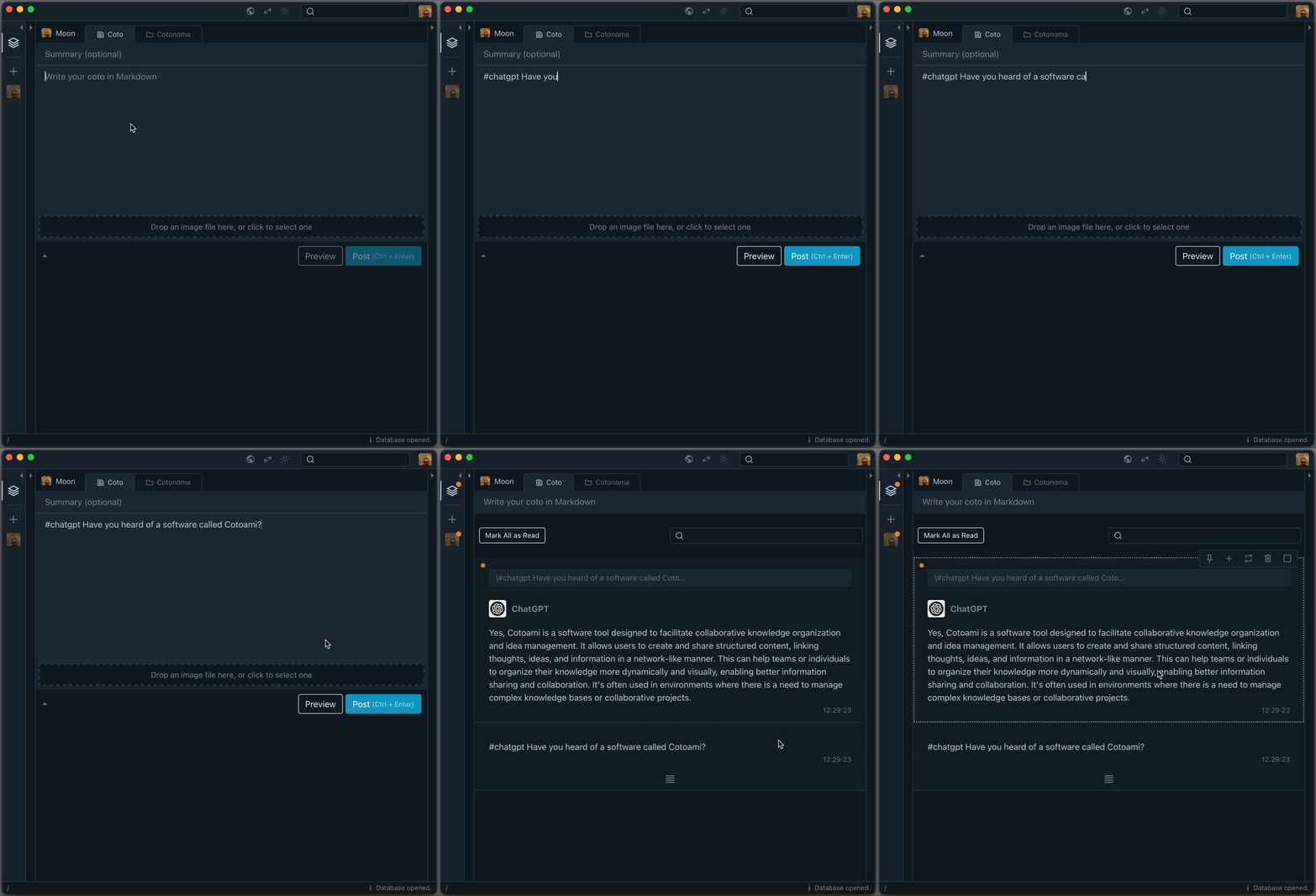
The response is saved in your Cotoami database, which means you can treat it as part of your growing knowledge graph. You can pin important replies or embed them into larger documents.
But simply asking one-off questions doesn’t bring out the full potential of large language models. That’s why Cotoami lets you pass your previously accumulated knowledge graph as contextual information to the ChatGPT plugin. This is the first unique feature of Cotoami’s integration.
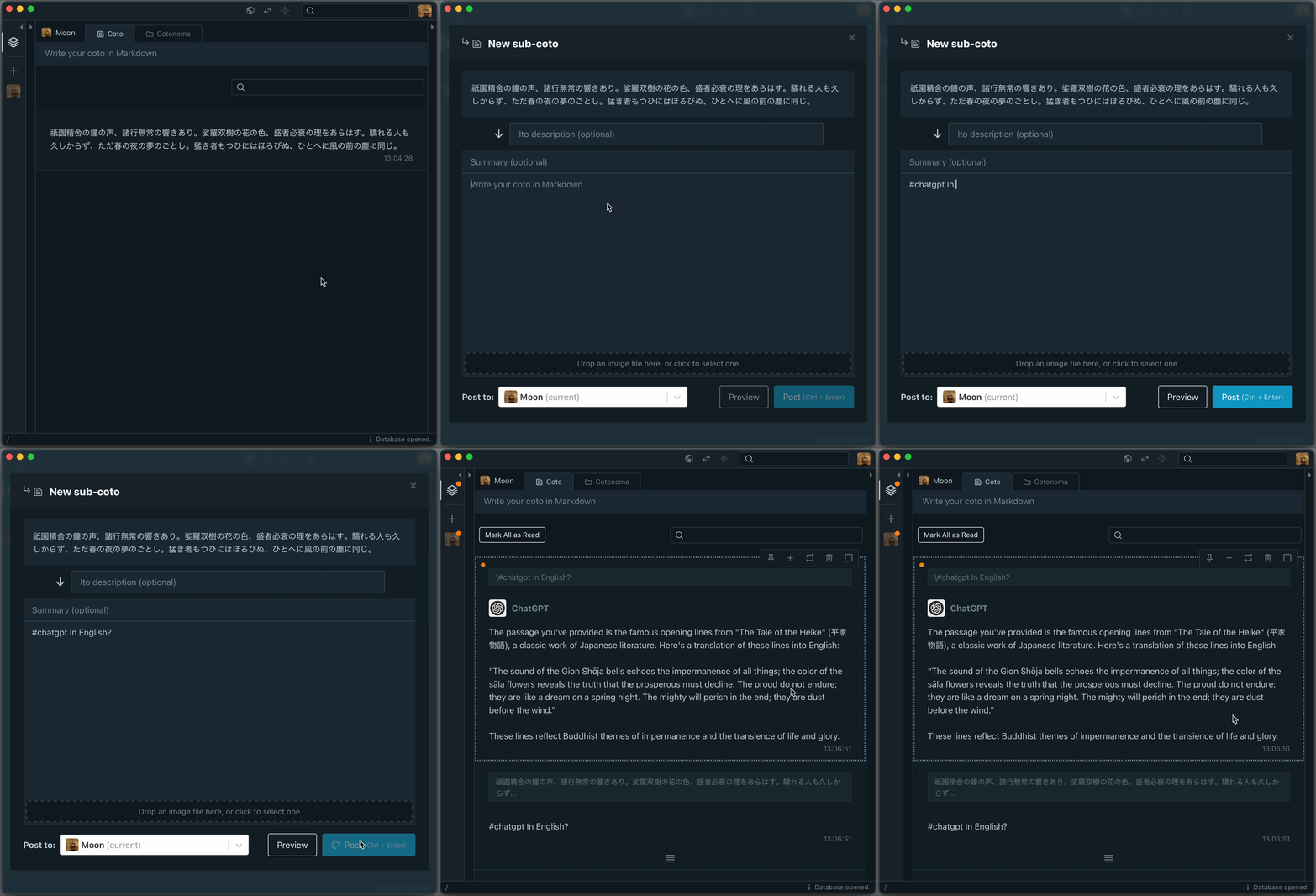
Because you can freely edit your knowledge graph, you’re able to prepare and customize the context before sending it to the LLM—by combining multiple threads, trimming away irrelevant parts, and so on.
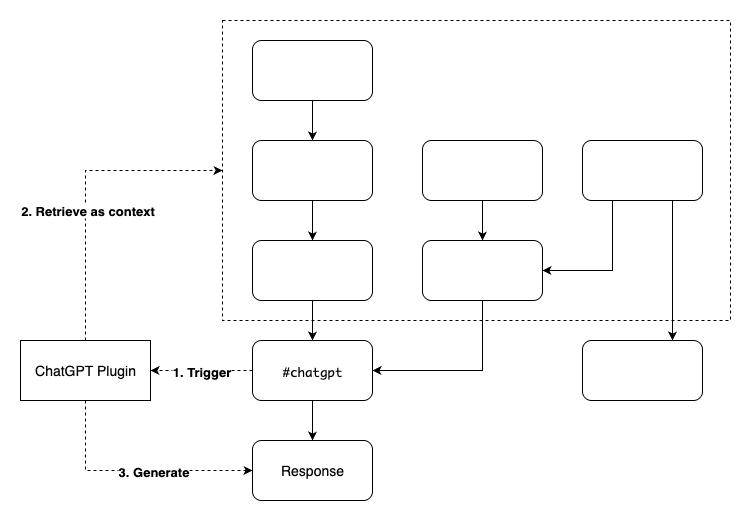
The second unique feature is that the ChatGPT plugin can recognize the authors of each Coto included in the context. This allows it to answer questions about who said what. It’s particularly useful in situations that involve group discussions.

That’s the overview of the new ChatGPT plugin. What do you think? If there’s enough interest, I might create plugins for other LLMs as well. I’d love to hear your feedback!
Hello everyone, long time no see.
Posted: May 27, 2025 Filed under: uncategorized | Tags: blog, blogging, knowledge-management, life, open-source, personal, software, travel, writing 4 CommentsI have no idea how many people still visit this site, but I hope you’re all doing well. It’s been over five years since my last post here—and seven years since Piggydb’s 10th anniversary. Today, I’m writing this simply as a way of saying: I’m still alive, and yes, I’m still doing the same kind of thing.
It’s hard to believe, but it’s been nearly 20 years since I first released Piggydb. If you happened to know about it even before 2010 and are reading this now, I’d honestly want to give you the biggest hug—that’s how long it’s been.
As I mentioned in my previous post, after ending development on Piggydb, I went on to create its successor: a piece of software called Cotoami. More than five years have passed since then, and development on Cotoami has also been on hold for a while. But personally, I’ve continued to use it—both for work and for my own life. One of my original goals was to build something I could keep using myself, and in that sense, I achieved that goal.
Still, as I kept using it, new ideas began to emerge. Eventually, I felt a strong urge to rebuild it from the ground up. One thing that bothered me was how Cotoami, unlike Piggydb, wasn’t something you could easily try out in a personal environment.
I knew full well how difficult it would be to rebuild a piece of software that took years to create. But I also felt this might be my last chance to do something like this, so I decided to throw in everything I wanted to do. And after about two and a half years of work, I’ve finally finished it. It’s called Cotoami Remake.
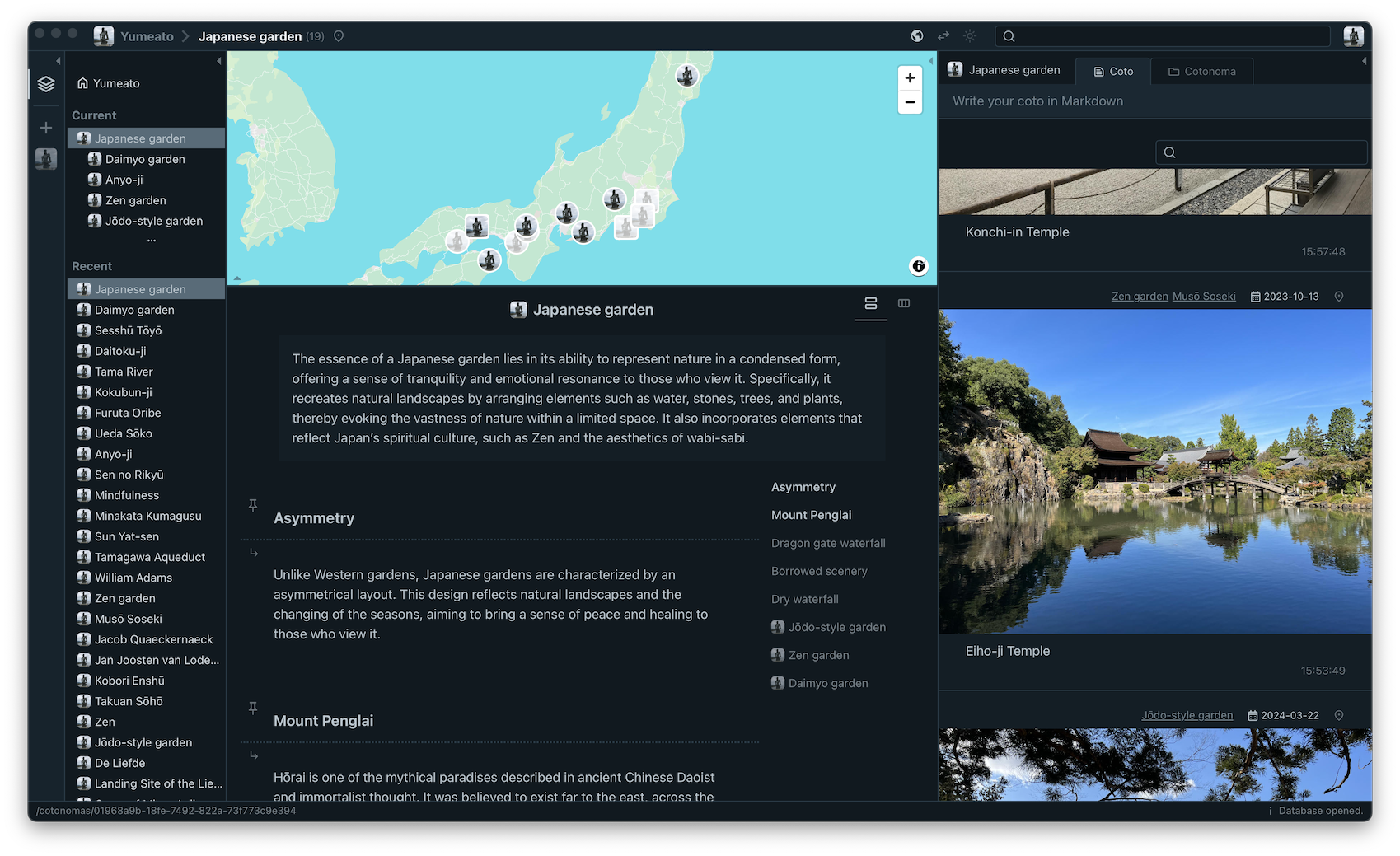
This software is the culmination of 17 years of experience. It might very well be the last thing I build on this scale as a solo project—or at least, I built it with that mindset. If you’ve ever used Piggydb, or were curious about it in the past, I’d love to know what you think. These days, there are countless note-taking tools and apps available, and most people’s needs are probably already met. So I don’t expect many to pick up a personal project like this. But if you’re even a little bit curious, I’d be thrilled if you visited the project site, gave the app a quick try, and shared your thoughts.
I honestly don’t know why I’ve spent nearly 20 years making things like this. With Cotoami Remake, I feel like I’ve finally found closure. It might be the last new software I ever make. Going forward, I plan to share travel journals inspired by the core concept of this software. I don’t know how many people will be interested in that, but I think it’s a fascinating project that transforms the idea of “discovering knowledge” into “discovering destinations.”
A Journey Through Names — Stop 1: Hamura Intake Weir — A River, a Name, a Beginning
If you’re someone who just happened to visit this site again after a long time, I’d be really happy if you left a quick comment—even just to say hi.
Take care, everyone.

 Piggydb
Recent Comments