
Piggydb Use Case: Relationships(Links) for Quick Reference
Posted: December 25, 2013 Filed under: uncategorized Leave a commentPiggydb user David Shrader kindly shared his experience of using Piggydb for his study. He utilizes piggydb’s relationships(links) to allow him to quickly access basic information to learn via Fragment Quick View.
—–
I was in class training to earn my Oracle OCA certification, and I was having a lot of trouble studying for the 1z0-151. I had my notes in a notebook, and I found that if I read over the “key facts” I was reading a lot more than necessary about certain elements, and not enough about others. I passed my test, but only by 4 points.
Fast forward to studying for my 1z0-152, and I knew that I had to do something different to learn the material. In addition to staying up many late nights studying, I also began using piggydb to take notes and link pieces of knowledge together. The most beneficial thing for me was being able to create links (example syntax [fragment:99 BASIC INFO]) to knowledge fragments, allowing me to hover over the links to glance at information I already knew, and if I realized I didn’t understand something well enough I was able to open the link and read over the entire concept in depth. This may not sound very helpful, but for my learning style it was perfect. I was able to include charts and tables in the fragments for each key term, and I wasn’t forced to have them in the same (illogical) order as the books. I displayed storage charts from the largest to smallest element, etc. Then I was able to link the knowledge fragments together when they were related, which also helped cement the information in my mind.
So what was the final outcome you might ask? I scored a 93 on the 1z0-152. My instructor was shocked. Just for the sake of comparison, I scored a 64 on the first exam. That’s a 29% improvement thanks to piggydb, lol.
—–
Thanks, David!
Piggydb V6.16 – Fragment Quick View
Posted: October 19, 2013 Filed under: uncategorized Leave a commentPiggydb has provided you with ways to easily navigate through a knowledge-fragment network, for example, the tree and list views. This release adds another alternative to these navigation features: Fragment Quick View.
It allows you to move through a network, fragment by fragment, more lightly.
Mouse hovering over a link to a fragment for a second brings up a pop-up view for the fragment:
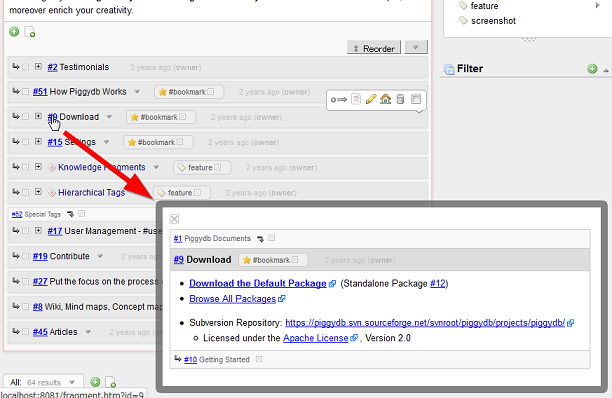
In the pop-up view, you can move to another fragment via links (the parents, children or links in the fragment content):
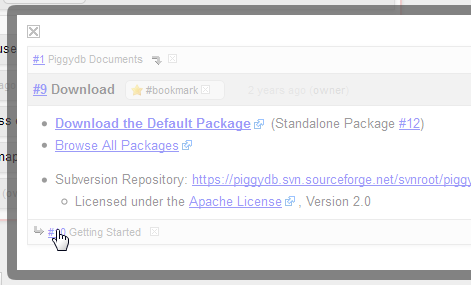
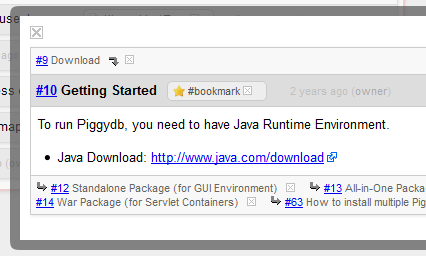
You can download the latest version from: https://sourceforge.net/projects/piggydb/files/latest/download
Piggydb V6.15 – Tag Icons for Each Type of Tags
Posted: September 18, 2013 Filed under: uncategorized 2 CommentsThis release changes the tag icons to have different colors according to the types of tags:
System Tag (starting with ‘#’ and used for management purposes):

Plain Tag:

Tag Fragment:

This update would be important more than you think, because tag-fragments are the most important parts of Piggydb database and the new version allows you to easily recognize your tag-fragments from the others.

You can download the latest version from: https://sourceforge.net/projects/piggydb/files/latest/download
Piggydb V6.14 – Expand Sub-fragments After Reading Content
Posted: September 2, 2013 Filed under: uncategorized Leave a commentHave you ever encountered a situation that you had read a long fragment and subsequently wanted to read its sub-fragments, but it was quite frustrating to scroll back to the fragment header to click on the tree toggle button?
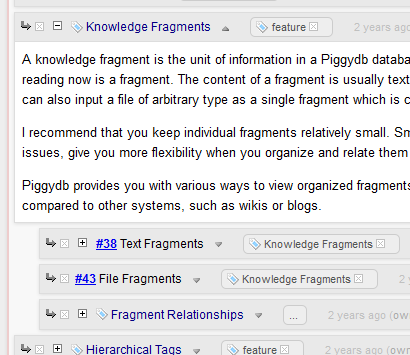
This version fixes this problem by adding a button at the bottom of the content:
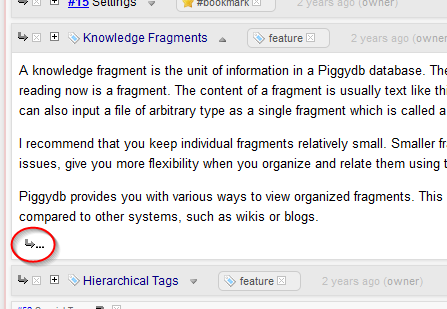
Clicking on this button expands the sub-fragments like the tree toggle button does:
—-
This version also adds support for non-ascii file names when you upload files as file fragments.
—-
You can download the latest release of Piggydb from: https://sourceforge.net/projects/piggydb/files/latest/download
Piggydb V6.13 – Tags Popup View
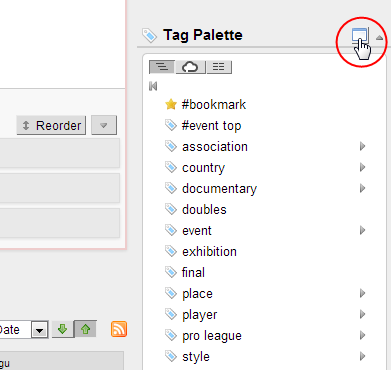
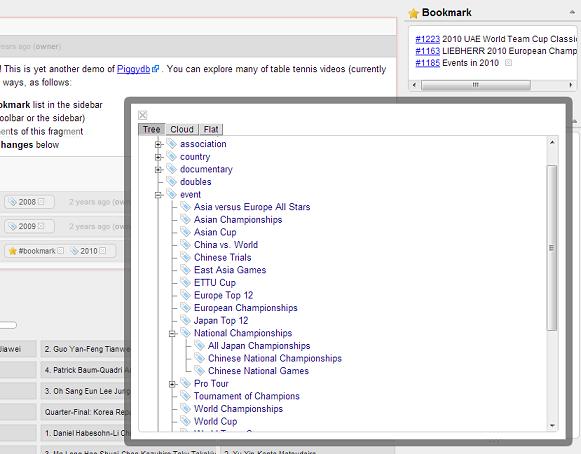
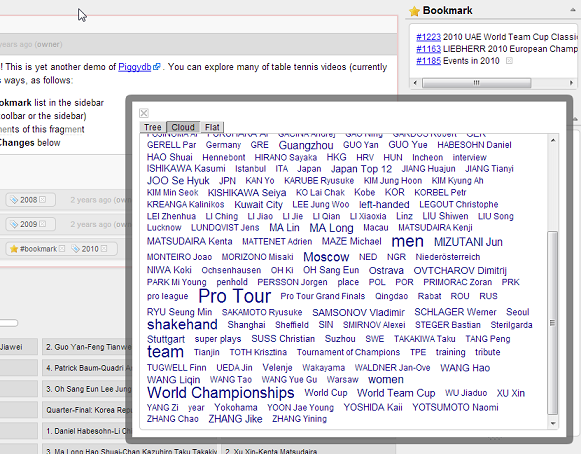
Posted: August 12, 2013 Filed under: uncategorized Leave a commentAs mubed kindly pointed out, the tag palette is not very comfortable for browsing a large or deep tag tree. So in this version, I added a new pop-up view which allows you to browse a tag tree (and other types of view) more comfortably and intuitively.
Clicking on the tool button in the tag palette header opens the tags popup view:
This view also has a format switch: tree, cloud, flat:
You can download the latest release of Piggydb from: https://sourceforge.net/projects/piggydb/files/latest/download
Piggydb V6.12 – Search by ID in Fragments View
Posted: June 1, 2013 Filed under: uncategorized Leave a commentThis week I’ve made a quick update to the fragments view search.
Typing a fragment ID (number) starting with ‘#’ in the search box shows the fragment directly if it exists in the database.
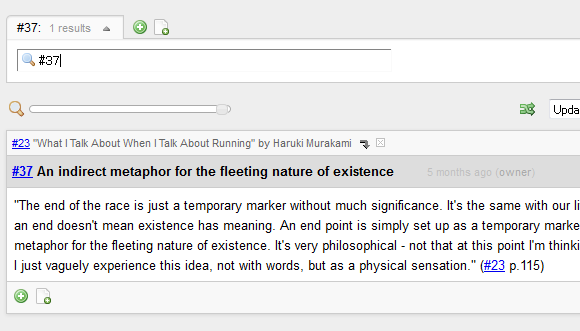
In addition to the above, this release contains several minor improvements and a bug fix. For example, droppable elements are highlighted during dragging a draggable entity (ex. tag):
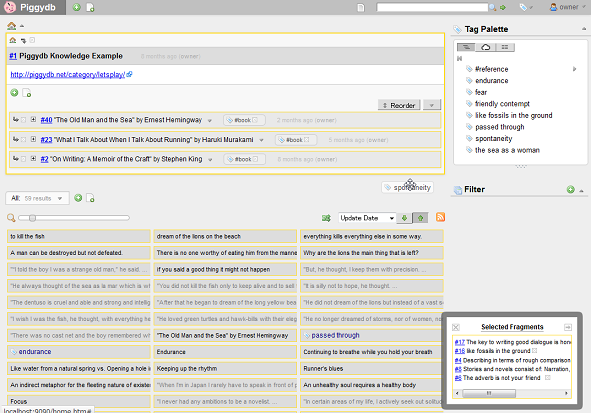
You can download the latest release of Piggydb from: https://sourceforge.net/projects/piggydb/files/latest/download
Piggydb V6.11 – Incremental Keyword Search in Fragments View
Posted: May 25, 2013 Filed under: uncategorized Leave a commentHello. After a short period of pause, the development has been back on the track with a great new feature.
From this version 6.11, I’m going to add and improve a search feature in the fragments view.
The header label is the entrance to this new search capability:
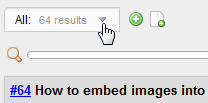
Clicking on the label opens the search input box:
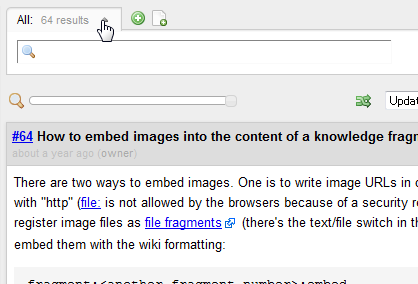
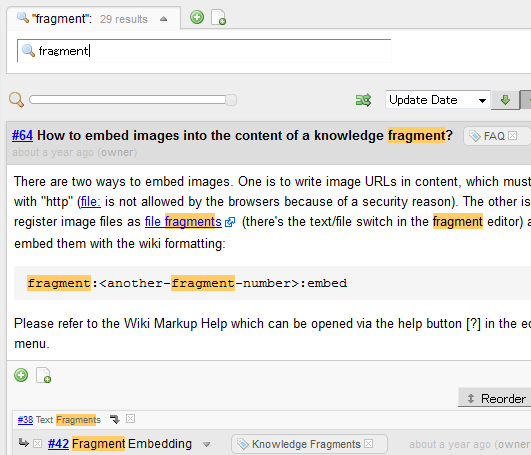
When you type keywords in the box, the view is automatically updated to show the fragments that match the keywords with highlighting:
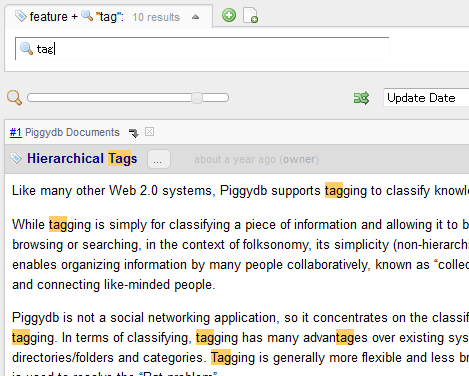
If the view already has criteria to select fragments, such as a tag or filter, the keyword search will work as drill-down search:
—-
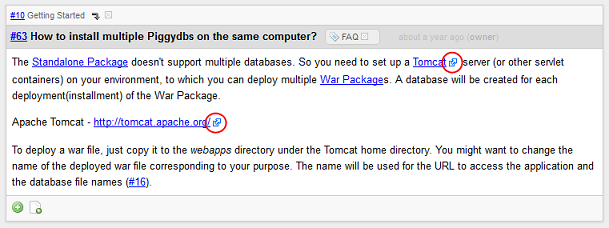
The external links in the content of fragments are now marked with an icon:
—-
The calendar feature at the home page, which has been since the first release of Piggydb, was removed in this version. Instead, I have a plan to add a more sophisticated feature in future versions.
—-
You can download the latest release of Piggydb from: https://sourceforge.net/projects/piggydb/files/latest/download
Piggydb V6.10 – Document View Improvements and Korean Translation
Posted: March 31, 2013 Filed under: uncategorized Leave a commentI have added some changes to Document View to improve its accessibility (especially for Smartphones).
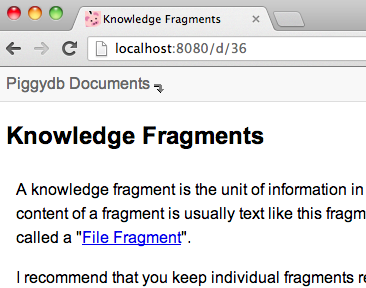
First, from this version, you can access the pages in Document View using a short-form URL like: /d/<id>, /d/<name>
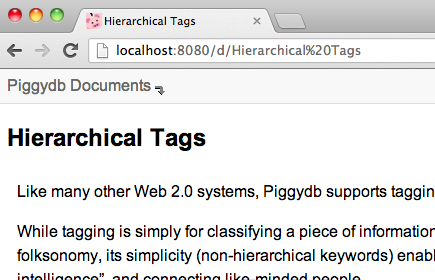
Secondly, a Document View button has been added to the global header, which allows you to open the home fragment in Document View from anywhere:
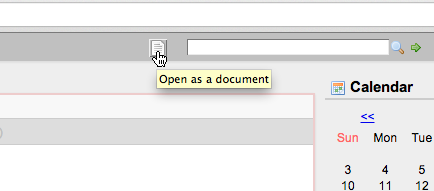
Lastly, internal links to a fragment in Document View have been updated to point to the pages also in Document View rather than to the pages in standard view.
—-
Piggydb user Sungbin Jeon has very kindly contributed a Korean translation for Piggydb’s UI:
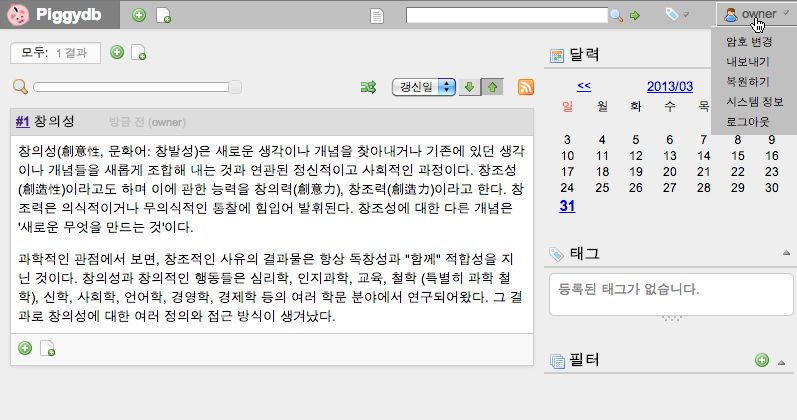
—-
You can download the latest release of Piggydb from: https://sourceforge.net/projects/piggydb/files/latest/download
Piggydb V6.9 – Document View for Smart Phones and Tablets
Posted: March 23, 2013 Filed under: uncategorized 5 CommentsDocument View lets you browse your content in a plainer and simpler style, which allows you to concentrate on the content itself when you just want to read it. It is also suitable for printing.
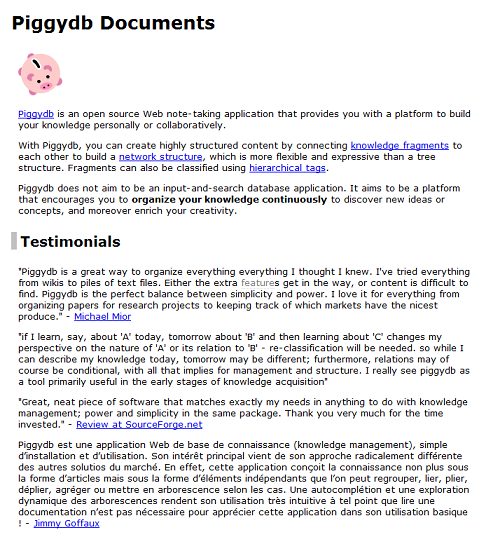
Though it is useful and one of the key features of Piggydb, I’ve left it without updates for a long time.
In this version, I finally made relatively large changes to this feature improving its navigation and adding support for smart phones and tablets.
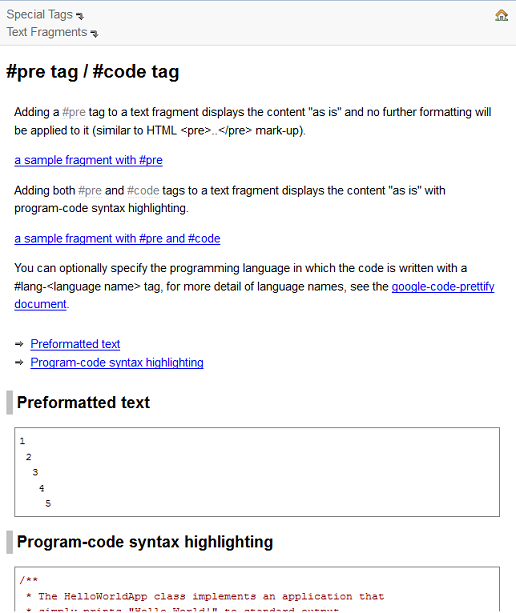
In the new navigation, you can move to the parents if they exist and directly to the home fragment via the home icon at the top-right corner:
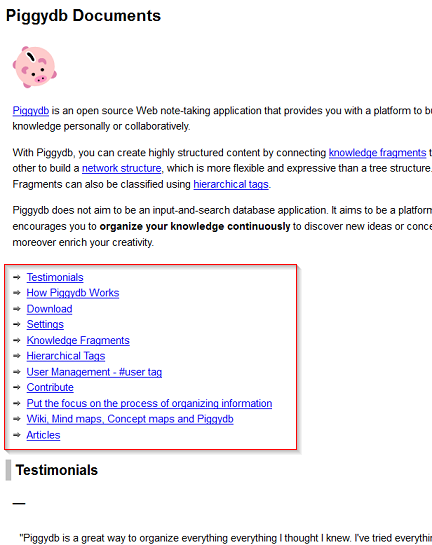
I also added a table of contents to each page, which is useful for grasping the outline when the page is large:
As the most important part of this update, Document View now supports smart phones and tablets:
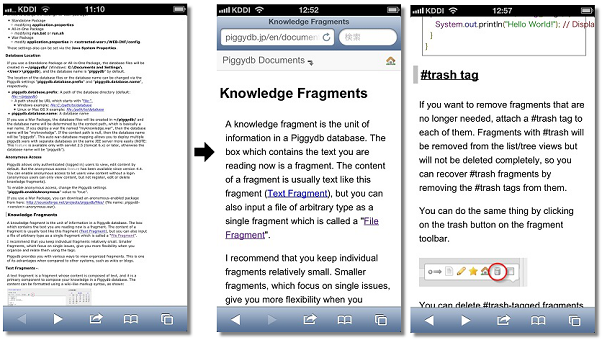
I think it will be a typical way to use Piggydb that you elaborate your knowledge on your desktop PC, then comfortably browse through it on your smart phone (yes, you need to set up a server to do this from outside your home network. I will take up this topic in detail in a future entry).
You can try out the new Document View at: http://piggydb.jp/en/document-view.htm
—-
You can download the latest release of Piggydb from here.
Piggydb V6.8 – Improved Smart Layout
Posted: February 14, 2013 Filed under: uncategorized 2 CommentsIn version 6.4, I introduced Smart Layout, which automatically switches the page layout between vertical and horizontal layout according to the window width. However, this “experimental” implementation was, frankly, not very useful. So I updated it a little bit so that you can scroll each column independently:
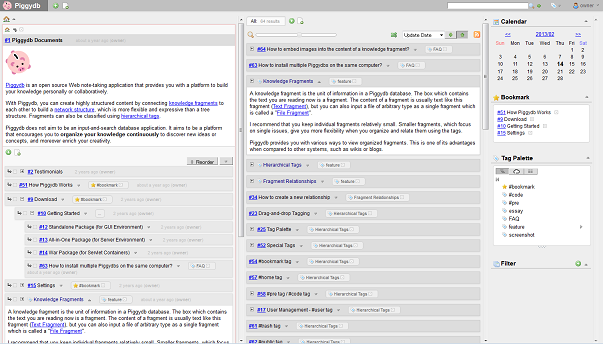
I also updated some pages (fragment, tag, etc) to maintain the horizontal multi-column layout when you jump to another fragment or tag page from the home page.
In future versions, I hope to update the layout to be more flexible and customizable so that you can handle and browse a large amount of fragments more efficiently.
—-
This release also contains several bug fixes, such as broken all-in-one package: http://piggydb.lighthouseapp.com/projects/61149-piggydb/tickets/42 (Thanks, Xin Yin!)
—-
You can download the latest release of Piggydb from here.

 Piggydb
Recent Comments