
Piggydb V6.7 – Home Fragment
Posted: January 14, 2013 Filed under: uncategorized 2 CommentsHappy new year! This is the first release of this year.
This release introduces Home Fragment that changes the way to select the fragments shown at the home page.
In the older versions, fragments with a #home tag will be shown at the home page. However, this feature has some disadvantages. For example, you can’t put a tag-fragment without the side-effect where the tag-fragment will inherit #home’s feature unexpectedly, which means the fragments tagged with the tag-fragment will also be shown at the home page. Also you can’t control the order of the fragments at home page with #home.
So, the old #home tag has been replaced with Home Fragment whose child-fragments will be shown at the home page with the order maintained.
The following is the steps to replace your #home tag with Home Fragment. It will be a matter of seconds.
First of all, click on the #home tag to jump to the page of it:

In that page, you can view all of the #home tagged fragments. What you need to do is just to click on the “Add this fragment to home page” button for each of them. That’s it.
Clicking on the button will create a relationship from Home Fragment to the fragment:

Clicking on the home icon will navigate you to the page of Home Fragment where you can reorder the child-fragments shown at the home page:

—-
Another change in this version is the way to open the content of a fragment. You can do that by clicking on the header of a fragment, not needing to click on the tiny toggle switch anymore.

Thanks for the suggestion:
http://piggydb.lighthouseapp.com/projects/61149-piggydb/tickets/34
You can download the latest version from here.
Piggydb V6.6 – Shuffle!
Posted: December 31, 2012 Filed under: uncategorized Leave a commentThis is the last release of this year and a relatively important one suitable for the end of the year.
The new feature is Fragment Shuffle. A shuffle button has been added to Fragments View:
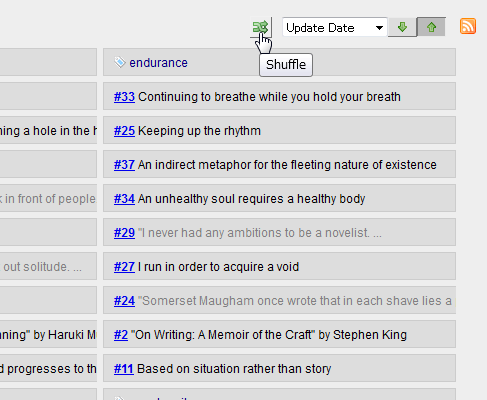
As you can probably tell, clicking on this button will shuffle the fragments that match the criteria in the Fragments View.
Although you might not understand the purpose of this feature well, it is a very important feature in the context of Knowledge Creation, which I’ve explained and will explain in details in the series of articles ‘The Piggydb Way’ and demonstrate in ‘Let’s Play: Piggydb Knowledge Creation‘.
So please stay tuned in to Piggydb project even if you aren’t using it now 😉
Thank you very much for your support in 2012 and wish you a happy and intellectually exciting 2013!
(You can download the latest version from here.)
Piggydb V6.5 – Fragments View Label
Posted: December 15, 2012 Filed under: uncategorized Leave a commentA small release to get the rhythm again … 😉
This release adds a description label to Fragments View:
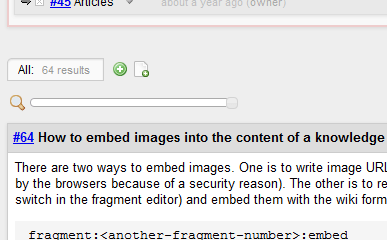
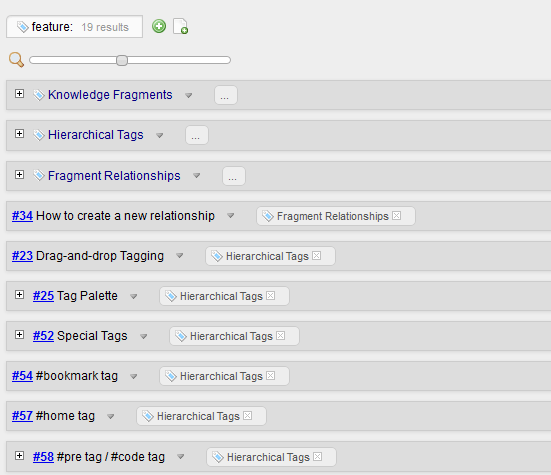
As you can see in the above screenshots, the label also shows the number of found fragments.
You can download it from here.
PiggyPoster – A Piggydb fragment posting App for your iPhone
Posted: November 11, 2012 Filed under: uncategorized 1 CommentYesterday, I noticed a post on Piggydb’s facebook page from Tobias Kamber who had just released a iPhone app called “PiggyPoster”. I immediately installed it on my iPod touch and tried it out. It turned out to be a simple and nice app just focusing on one task: to post a fragment to your Piggydb.
PiggyPoster on iTunes – https://itunes.apple.com/ch/app/piggyposter-piggydb-fragment/id573951897?mt=8


One thing that may be a bit of hurdle is that you need to have Piggydb installed on an Internet-accessible server so that your iPhone can access to it, but if you can meet this requirement, it is worth trying out.
So if you are interested, try it out and send feedback to Tobias. I am really looking forward to seeing the future development of PiggyPoster.
Tobias’s websites:
- Software Atelier Kamber – http://www.software-atelier.ch/
- iPhone Apps – Software Atelier Kamber – http://iphone.hom3.ch/?lang=en
Piggydb V6.4 – Smart Layout
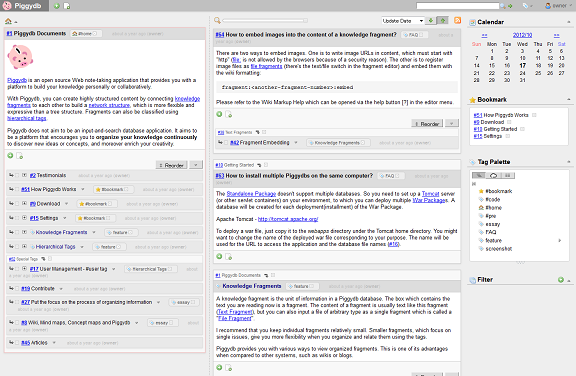
Posted: October 17, 2012 Filed under: uncategorized Leave a commentThis release introduces Smart Layout, which switches the page layout automatically between vertical and horizontal layout according to the window width.
The following is the vertical layout, which was the standard layout in the older versions:
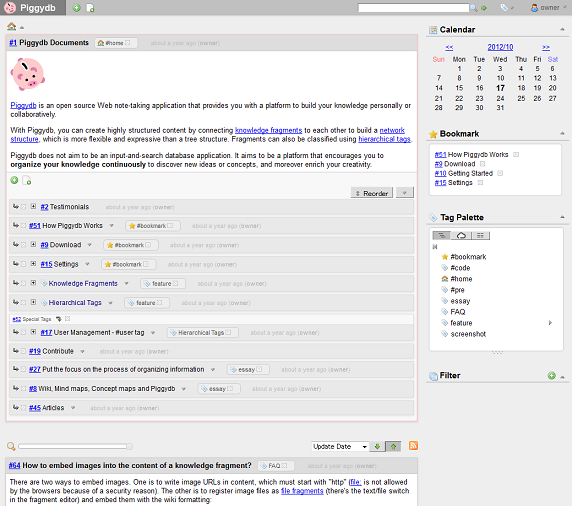
And when you make the width of your window wider than the certain extent, the layout will switch to the horizontal layout automatically:
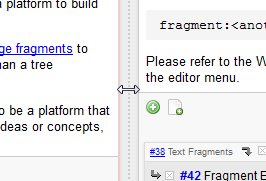
You can resize the panes by drag-and-drop on the split bar.
Although this feature is still in an experimental phase, it would be useful if you have a high-resolution display. I’ve come up with several ideas in this experiment so far. So please look forward to updates 🙂
You can download it from here.
Piggydb V6.3 – A New Level of Zoom: Full-Fledged
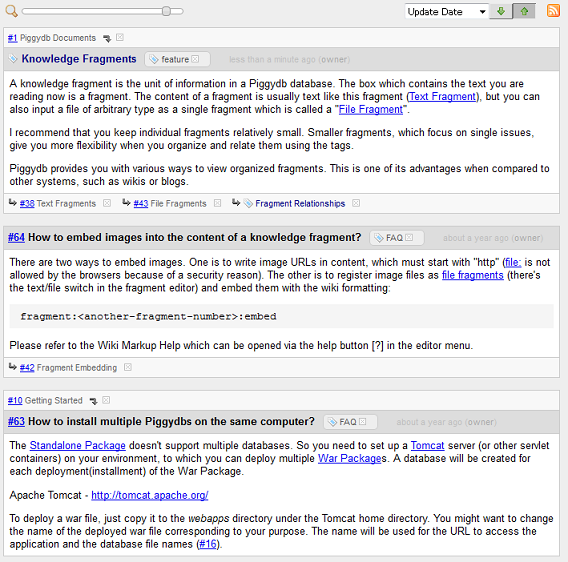
Posted: October 1, 2012 Filed under: uncategorized Leave a commentThis release updates the Fragments View Slider to have a new level of zoom: ‘full-fledged‘.
In the older versions, sliding the slider to the right end shows the fragments in ‘detail‘ view as follows:
In this version, a new level of zoom ‘full-fledged‘ has been added next to the ‘detail‘ as follows:
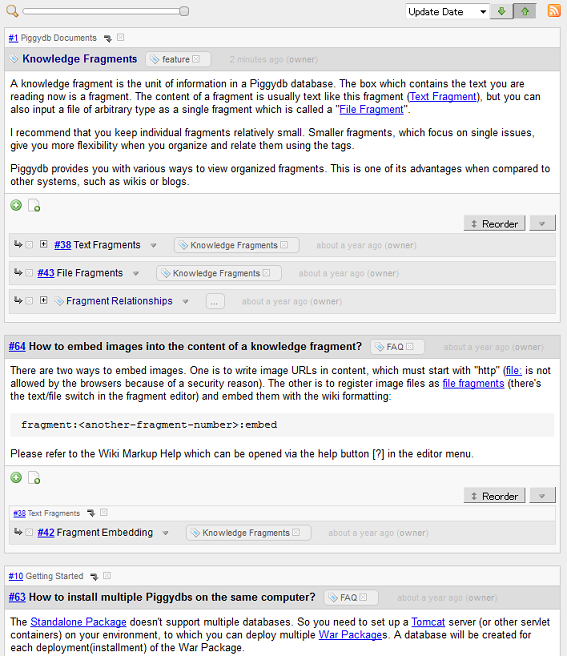
As you may have realized in the screenshots above, the default color scheme has been improved a little bit.
You can download it from here.
Piggydb V6.2 – Home Fragments as Expandable Trees
Posted: September 18, 2012 Filed under: uncategorized Leave a commentThis release updated the home fragments in the home page to be displayed as expandable trees.
The home page before this version:
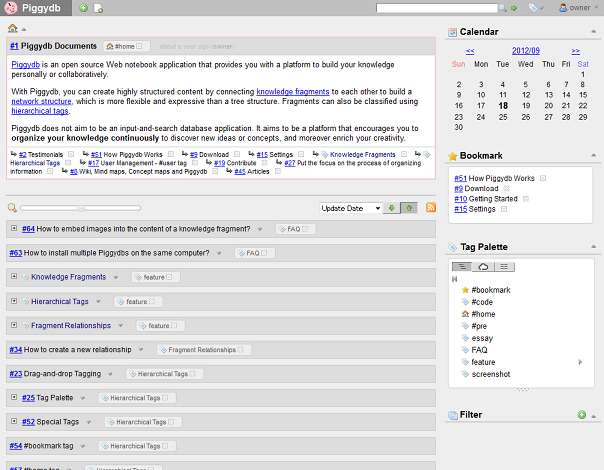
And the new home page:
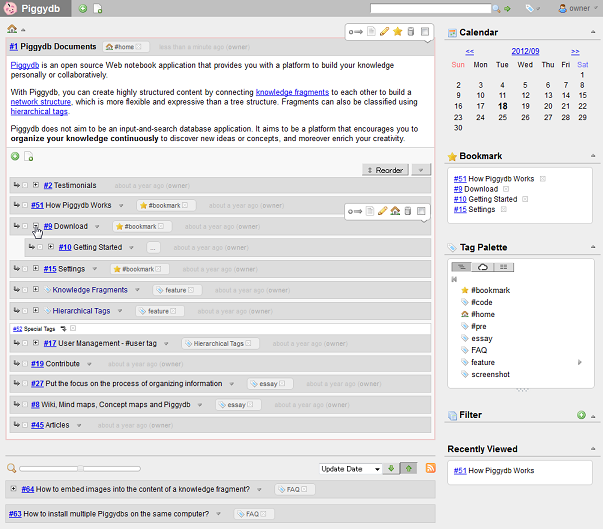
This change makes the home page (or home fragments) more useful so that you can navigate through the fragment trees smoothly without moving to a fragment page.
Interesting Discussion about Piggydb at outlinersoftware.com
Posted: September 11, 2012 Filed under: uncategorized 8 CommentsAn interesting discussion about Piggydb has been going on at outlinersoftware.com, which was mentioned in a blog comment (thanks, Alexander!).
Piggydb is a kind of software that is difficult to explain, so I have been struggling to find good words to describe this software to people who are not familiar with this organizing tool sphere (whereas I think the difficulty of explaining is important to invent a new paradigm).
Piggydb is certainly similar to an outliner.
By the way, in Japan, outliners are often called ‘Idea Processors’. I don’t know why, but I guess they focus on the MindMap-like functionality of a tree structure.
I think that an outliner is a basically one-theme-session-oriented organizing tool (like a MindMap), while Piggydb is for a longer span of idea exploration involving multiple themes. And also, there is the difference of the organizing processes: top-down (outliner) and bottom-up (Piggydb).
Then, most importantly, Piggydb has been striving to extend organizing or structuring functionality to promote concept discovery (structuring ‘information’ into ‘knowledge’ and more, ‘wisdom’ maybe). I’m going to write about it in detail in the series of articles ‘The Piggydb Way’.
Anyway, it is very inspiring to see discussions on a site like outlinersoftware.com. If you are interested in outliner software, definitely check it out 😉
Piggydb V6.1 – Cleaned up the Main Menu
Posted: August 27, 2012 Filed under: uncategorized Leave a commentThis release cleans up the main menu bar. The menu items ‘Home’, ‘Filter’, ‘System’ have been removed from the menu bar. As a result of it, the menu bar has become a container for the tool buttons to create or find knowledge fragments.
The screenshot below is the old main menu:

and this is the new main menu:
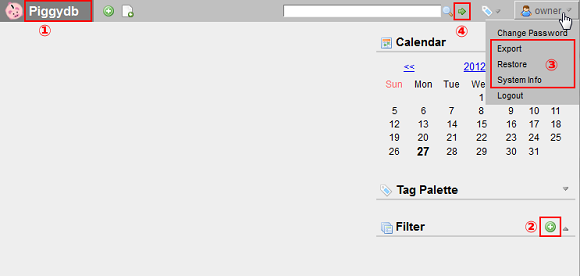
(1) The ‘Home’ menu has been removed and the title banner took on the function of a link to the home page. Come to think of it, it is more conventional implementation in the first place.
(2) The ‘Filter/New Filter’ menu has been moved to the sidebar and implemented as a tool button.
(3) The ‘System’ menu items has been moved into the user menu.
(4) The Jump-to-tag button has been replaced with a more general ‘Jump’ button, which allows you to directly jump to a fragment by inputting its ID number in addition to the original function to jump to a tag by its name.
Piggydb V6.0 released
Posted: August 19, 2012 Filed under: uncategorized Leave a commentThis release includes several bug fixes and minor improvements, and is released as stable version.
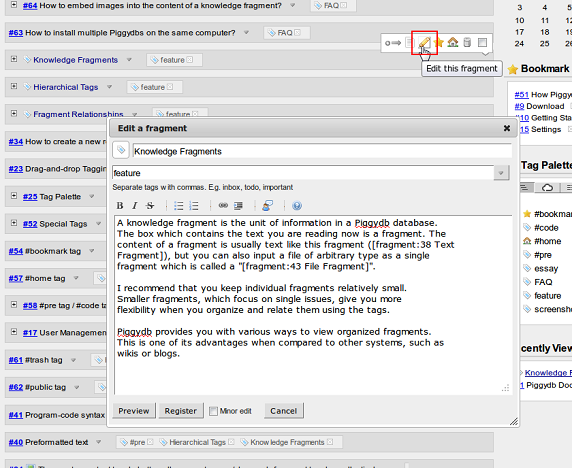
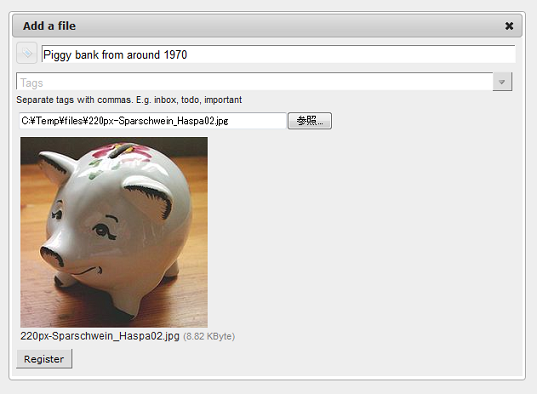
Since the beginning of June, I have gradually replaced the old fragment editors with the new dialog-style editor and completed it in the previous version.
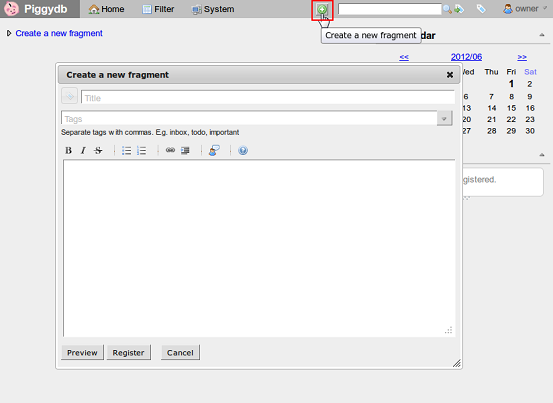
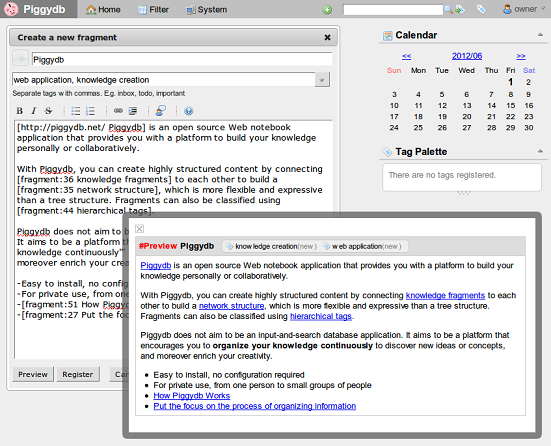
On-the-spot editing:
For a file fragment:

 Piggydb
Recent Comments