
Piggydb V4.21 released
Posted: June 17, 2011 Filed under: uncategorized 5 CommentsThis release changes the fragment interface so that the content toggle is disabled when the content to display doesn’t exist.
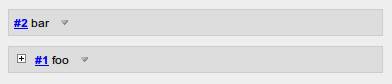
In older versions, a fragment node box always has a content toggle button (▽) even when the fragment has no content. But clicking the button shows additional information: update-info and fragment-parents as blow:
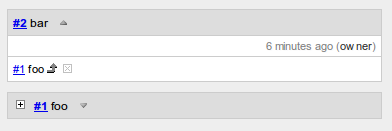
In this version, the toggle button is hidden when the content is empty, and the additional information that was placed in the fragment body was moved to the fragment header as below:
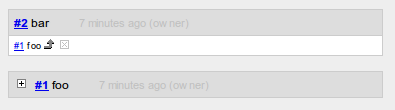
This change saves you from unnecessary clicks and allows you to traverse your fragment network more smoothly.
Download Piggydb V4.21 at https://piggydb.net/
Piggydb V4.20 released
Posted: June 6, 2011 Filed under: uncategorized Leave a commentIt’s been almost a half year since V4.19 was released last year. I’m back to the project and struggling to regain rhythm. This release is one of those steps.
This release fixes the memory leak bug caused by the database engine (H2 Database Engine).
http://groups.google.com/group/h2-database/browse_thread/thread/e1d39b41fcf15760
Just after this release, the source code repository was migrated from SourceForge.net to GitHub so you can tweak the code and feed it back more easily.
https://github.com/marubinotto/Piggydb
Download Piggydb V4.20 at https://piggydb.net/
Modifying the Look and Feel of Piggydb
Posted: April 29, 2011 Filed under: uncategorized Leave a commentPiggydb user Jerome J. Slote kindly shared his tips for modifying the existing look and feel of Piggydb, and moreover, an interesting way of extending the text formatting beyond the wiki markup set.
You may recall that I was looking for ways to insert invisible metadata into fragments: in particular, dates and tags that carry over from other systems when importing.
It turns out Piggydb has a “backdoor” capability that advanced users might find quite useful: text formatting in fragments, beyond the wiki markup set. This includes font changes, colors and highlighting, as well as the format I was seeking, invisibility.
The key is in the Stylish extension to Firefox, which superimposes style sheet specs that can be edited and toggled within the browser. I’d been using Stylish previously to customize Piggydb’s overall look and feel: serif font, eye-saving green background, a larger edit box, a smaller H1 display font in document view, and, most relevant to broader text formatting, the removal of internal tag highlighting in document view.
Style sheets, as you know, can alter the formatting of linking text according to the link’s target. So extended formatting can be accomplished by using dummy links whose format specs have been set up in the Stylish system.
Appended below is my Stylish sheet for Piggydb. You’ll notice a date format “dt”, a highlighting format “s1”, and an invisibility format “s0”. Within a fragment, any text that links to #dt, #s1 and #s0 is displayed in these formats if the style is toggled on. The hash mark makes for a more graceful response to an inadvertent click. Of course, these formatting links can be searched, so it’s easy to locate fragments with highlighted text, for example.
Piggydb’s integration with the browser and its extensions is a core advantage over standalone systems. Thanks for your vision, and for all you’ve done to make it real.
I think it is an amazing idea to add new formatting using a “href” attribute of a link. You can even add invisible metadata, which can be used for searching, to fragments.
The Stylish extension to Firefox:
https://addons.mozilla.org/ja/firefox/addon/stylish/
The Stylish extension is really cool and I think it’s also very useful for web designers and developers to test their styles.
And the following is the Jerome’s Stylish sheet for Piggydb:
@-moz-document url-prefix("http://localhost:8080/") {
  * {
    background-color: #9fa583 !important;
    font-family:"georgia" !important;
  }
  a:link {
    color: black  ! important;
    border: transparent !important;
  }
  a[href$='s1'] {
    text-decoration: none !important;
    background-color:#CDBE70 !important;
  }
  a[href$='s0'] {
    display: none !important;
  }
  a[href$='dt'] {
    text-decoration: none !important;
    font-weight:bold;
    font-style:italic;
    font-size:small;
  }
  a[href$='tag.htm?id=777'] {
    background-color:orange !important;
    border: red !important;
    font-variant:small-caps!important;
    color: #777 !important;
  }
  body, span,  div, td,  h1, h2, h3, h4, h5, h6, li {
   background-color:#9fa583 !important;
   color: #011
  }
  * textarea {
    background-color : #9a9a9a!important;
    width: 4.5in !important;
    height: 3.2in !important;
  }
}
@-moz-document url-prefix("http://localhost:8080/document-view.htm") {
  * {
    background:#9fa583 !important;
  }
  body, span,  div, td,  h1, h2, h3, h4, h5, h6, li {
   background-color:#9fa583  !important;
   color: #011
  }
  H1 {font-size:medium!important;}
  H2 {font-size:small!important;}
}
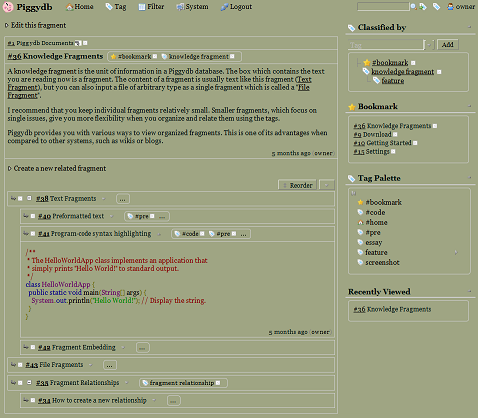
The image below is how the page looks like with the additional style sheet:
Piggydb V4.19 released
Posted: December 24, 2010 Filed under: uncategorized 20 CommentsThis release upgrades the database engine (H2 Database Engine) to the latest stable version (1.2.147), which supports a more robust database file format.
Although the new format is not compatible with the older versions of Piggydb, this version supports automatic file conversion: the old database files will be converted into the new format automatically during startup.
H2 Database Engine: http://www.h2database.com
Download Piggydb V4.19 at https://piggydb.net/
Piggydb V4.18 released
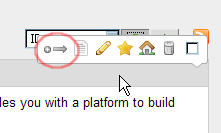
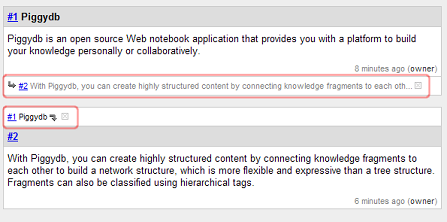
Posted: November 15, 2010 Filed under: uncategorized 1 CommentThis release adds a ‘New Relationship’ icon (+→) to the fragment toolbar. Dragging this icon from one fragment and dropping it onto another creates a new relationship between the two fragments.
You can create a relationship easily using drag-and-drop as follows:
There is a New Relationship icon (+→) on the fragment toolbar.
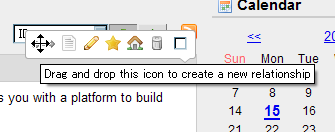
Drag this icon,
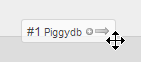
and drop it onto another fragment.
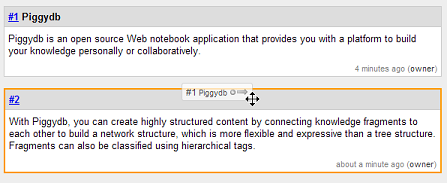
A new relationship will be created as shown:
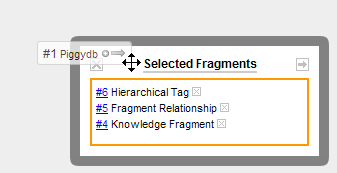
Dropping the icon onto the “Selected Fragments” box creates a new relationship with many fragments in one operation.
Download Piggydb V4.18 at https://piggydb.net/
Piggydb V4.17 released
Posted: October 15, 2010 Filed under: uncategorized 2 CommentsThis release extends the sidebar with two new sidebar widgets: “Tag Palette” and “Filter“.
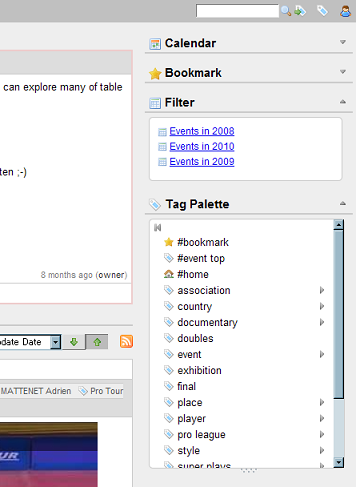
The Tag Palette in the sidebar has the same features as the existing pull-down Tag Palette on the main menu bar, also supporting drag-and-drop tagging.
As a result of this addition, the sidebar now has all the basic quick accesses to fragments: “Bookmark”, “Filter”, “Tag Palette” and “Recently Viewed”.
Because of the increased number of sidebar widgets, a show/hide toggle button has been added to each widget to allow users to fold (“hide”) unnecessary widgets.
Download Piggydb V4.17 from https://piggydb.net/
Piggydb V4.16 released
Posted: October 5, 2010 Filed under: uncategorized Leave a commentThis release adds a master content toggle button to the fragment page (fragment.htm), the button allows users to open/close sub-fragment content toggles collectively.
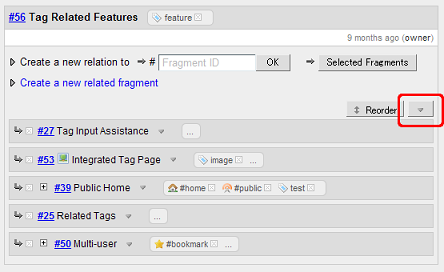
This release fixes the bug where when dragging a fragment in “reorder” mode other fragments would act, incorrectly, as drop targets.
Download Piggydb V4.16 from https://piggydb.net/
Piggydb V4.15 released
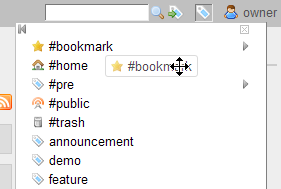
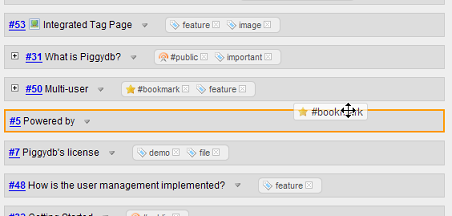
Posted: September 28, 2010 Filed under: uncategorized 2 CommentsThis release adds Drag-and-drop Tagging, which allows you to drag a tag from the Tag Palette and drop it onto a fragment.
Clicking the tag icon on the right side of the main menu bar shows the Tag Palette:
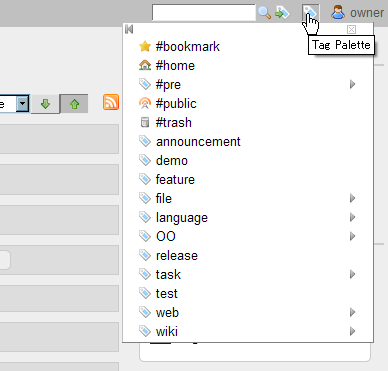
You can drag a tag from the palette:
And you can drop it onto a fragment:
Download Piggydb V4.15 from https://piggydb.net/
Piggydb V4.14 released
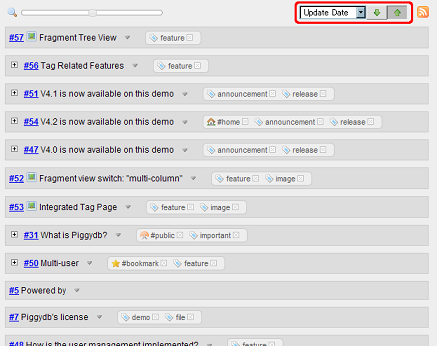
Posted: September 8, 2010 Filed under: uncategorized Leave a commentThis release adds a sorting feature to the fragments view:
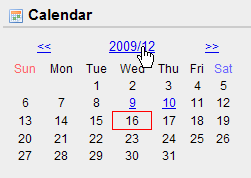
The calendar interface was updated to allow users to select a month as well as a day:
Download Piggydb V4.14 from https://piggydb.net/
Piggydb V4.13 released
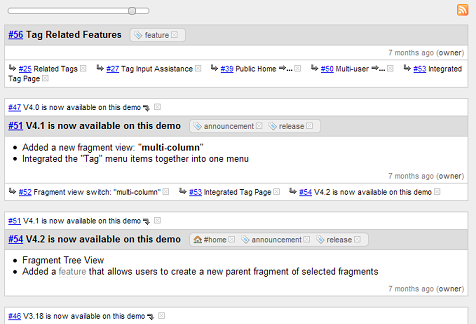
Posted: August 11, 2010 Filed under: uncategorized Leave a commentThis release updates the fragments view to have a slider interface which allows users to zoom in and out on knowledge fragments.
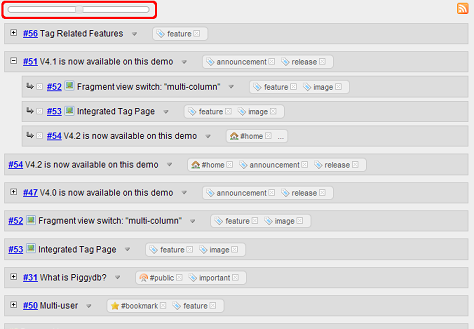
Sliding the slider to the left zooms out on the fragments:
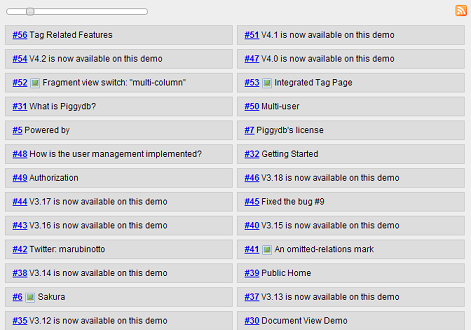
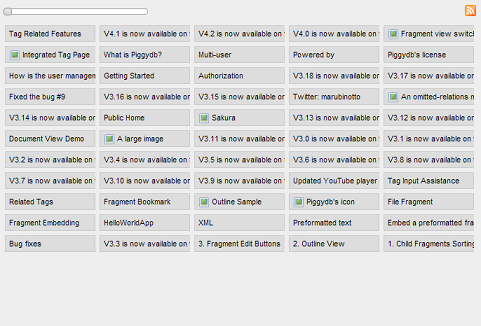
Sliding the slider to the right zooms in on the fragments:
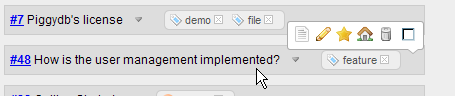
The fragment toolbar was redesigned not to hide the controls on the fragment header.
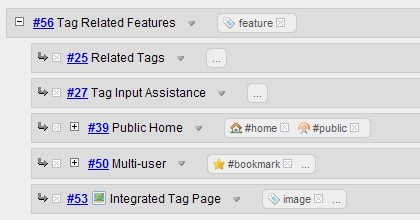
The fragment’s tag display was updated to hide context tags with a “…” link by default, so as to avoid the verbose repetition of tags.
Download Piggydb V4.13 from https://piggydb.net/

 Piggydb
Recent Comments