
Piggydb V6.13 – Tags Popup View
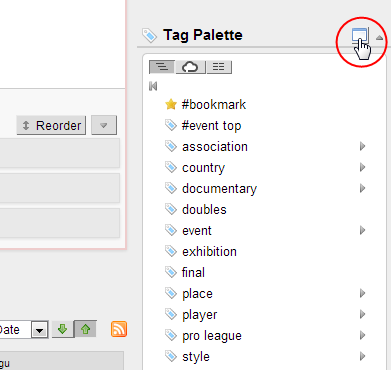
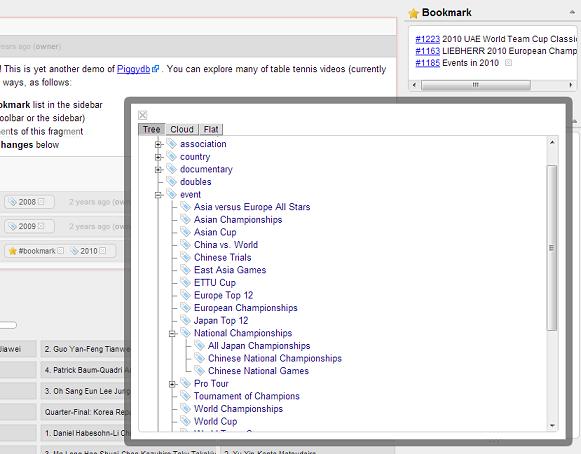
Posted: August 12, 2013 Filed under: uncategorized Leave a commentAs mubed kindly pointed out, the tag palette is not very comfortable for browsing a large or deep tag tree. So in this version, I added a new pop-up view which allows you to browse a tag tree (and other types of view) more comfortably and intuitively.
Clicking on the tool button in the tag palette header opens the tags popup view:
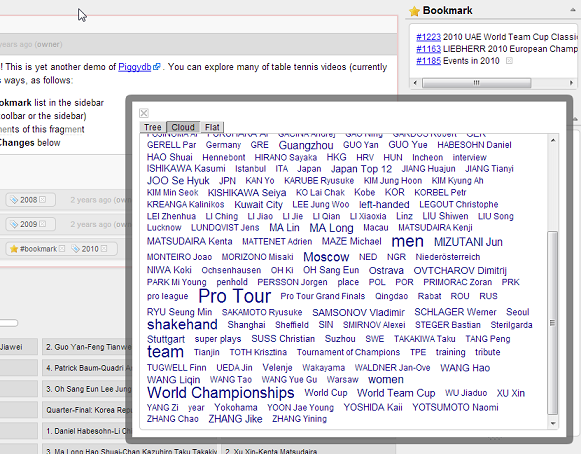
This view also has a format switch: tree, cloud, flat:
You can download the latest release of Piggydb from: https://sourceforge.net/projects/piggydb/files/latest/download
Piggydb V6.12 – Search by ID in Fragments View
Posted: June 1, 2013 Filed under: uncategorized Leave a commentThis week I’ve made a quick update to the fragments view search.
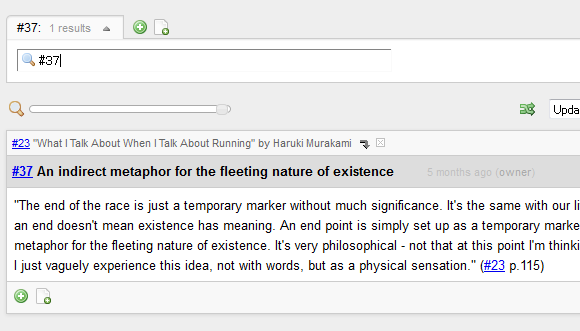
Typing a fragment ID (number) starting with ‘#’ in the search box shows the fragment directly if it exists in the database.
In addition to the above, this release contains several minor improvements and a bug fix. For example, droppable elements are highlighted during dragging a draggable entity (ex. tag):
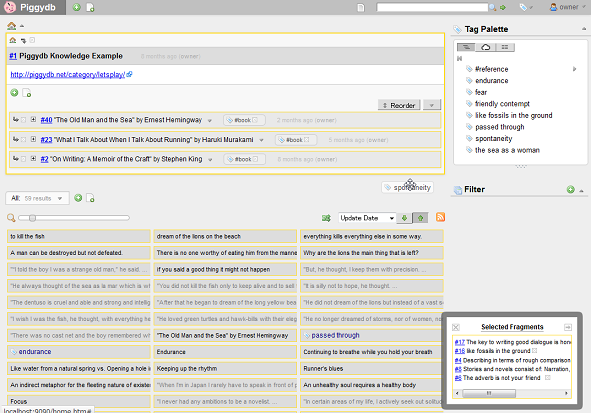
You can download the latest release of Piggydb from: https://sourceforge.net/projects/piggydb/files/latest/download
Piggydb V6.11 – Incremental Keyword Search in Fragments View
Posted: May 25, 2013 Filed under: uncategorized Leave a commentHello. After a short period of pause, the development has been back on the track with a great new feature.
From this version 6.11, I’m going to add and improve a search feature in the fragments view.
The header label is the entrance to this new search capability:
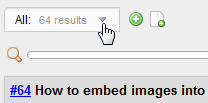
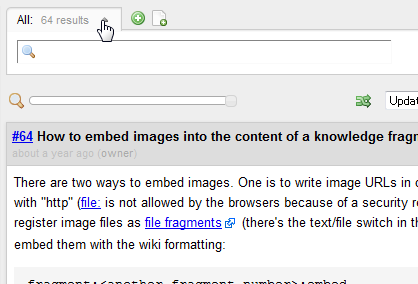
Clicking on the label opens the search input box:
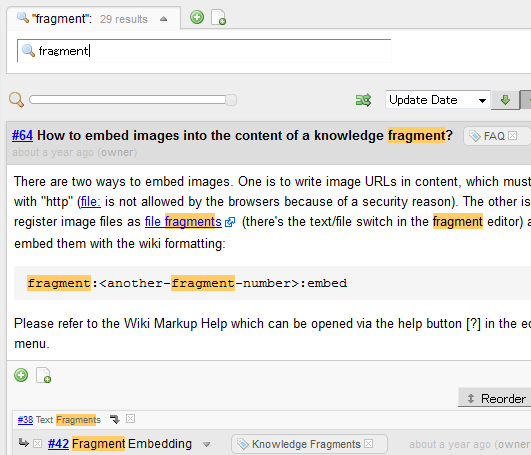
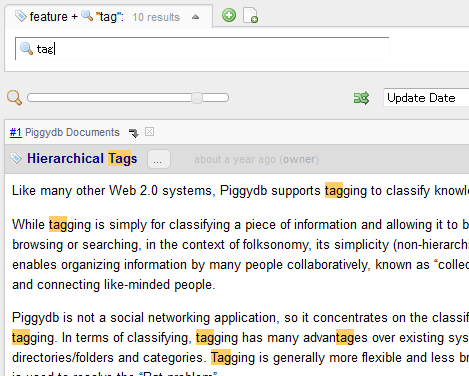
When you type keywords in the box, the view is automatically updated to show the fragments that match the keywords with highlighting:
If the view already has criteria to select fragments, such as a tag or filter, the keyword search will work as drill-down search:
—-
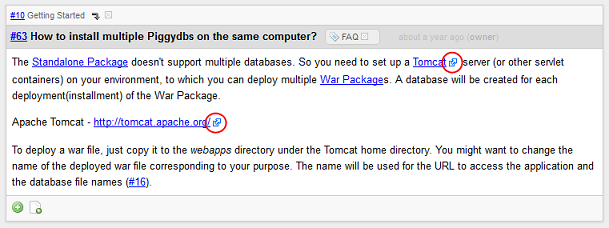
The external links in the content of fragments are now marked with an icon:
—-
The calendar feature at the home page, which has been since the first release of Piggydb, was removed in this version. Instead, I have a plan to add a more sophisticated feature in future versions.
—-
You can download the latest release of Piggydb from: https://sourceforge.net/projects/piggydb/files/latest/download
Let’s Play: Piggydb Knowledge Creation #3 – “The Old Man and the Sea” by Ernest Hemingway
Posted: April 13, 2013 Filed under: letsplay 3 CommentsThis is the third installment of Let’s Play Knowledge Creation with Piggydb.
This time I found an application that makes it amazingly easy to collect passages from a book. It is Amazon Kindle, and its Web service ‘Your Highlights’ has freed me from the tiresome work of manually typing underlined passages in paper books.
With Kindle, you just highlight passages that you find interesting,
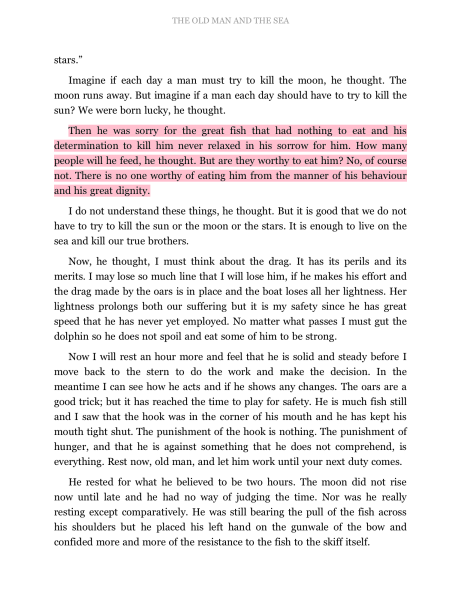
then the passages will show up on the ‘Your Highlights’ web page.
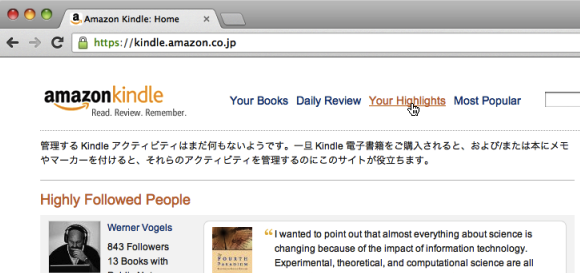
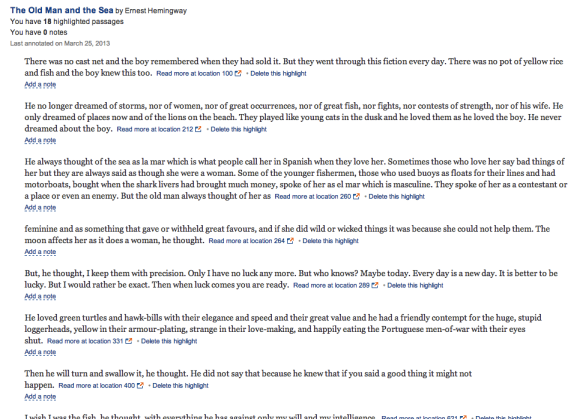
Another interesting feature of Kindle is that during reading on Kindle you can see the highlights other readers have made. It might be disturbing when you want to simply enjoy reading, but when you are looking for interesting passages, other readers’ highlights would be inspiring material to think about.
The book featured in this installment is “The Old Man and the Sea”:

a famous classic novel by Ernest Hemingway, available on Kindle at the cost of only about a dollar.
It appears to be difficult to select passages from novels than the kinds of books selected in the previous installments. That might be because you should understand a novel as a whole when you read it, so it would be probable that a passage can’t be understood by itself.
On the other hand, novelists use simile, other figurative language (#14) and symbolism (#19). They don’t tend to describe things directly but in a more abstract way, which means these concepts are relatively easy to connect to passages from other sources in wider context. I think it’s important for creativity.
Here is the passages that interest me in “The Old Man and the Sea”:
– http://piggydb.jp/example/fragment.htm?id=40
– http://piggydb.jp/example/d/40 (Document View)
This time, I found a connection between two books for the first time in this project. If you browse through the fragments tagged ‘endurance’, you will find interesting similarity among the passages by the two authors: Ernest Hemingway and Haruki Murakami. Interestingly and unexpectedly, Murakami mentioned Ernest Hemingway in the fragment #25.
Piggydb V6.10 – Document View Improvements and Korean Translation
Posted: March 31, 2013 Filed under: uncategorized Leave a commentI have added some changes to Document View to improve its accessibility (especially for Smartphones).
First, from this version, you can access the pages in Document View using a short-form URL like: /d/<id>, /d/<name>
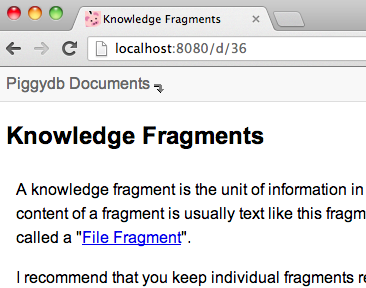
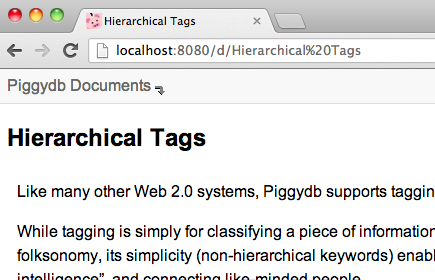
Secondly, a Document View button has been added to the global header, which allows you to open the home fragment in Document View from anywhere:
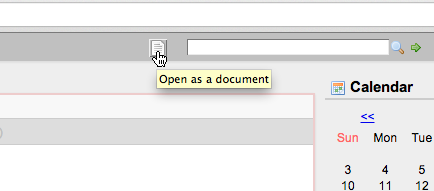
Lastly, internal links to a fragment in Document View have been updated to point to the pages also in Document View rather than to the pages in standard view.
—-
Piggydb user Sungbin Jeon has very kindly contributed a Korean translation for Piggydb’s UI:
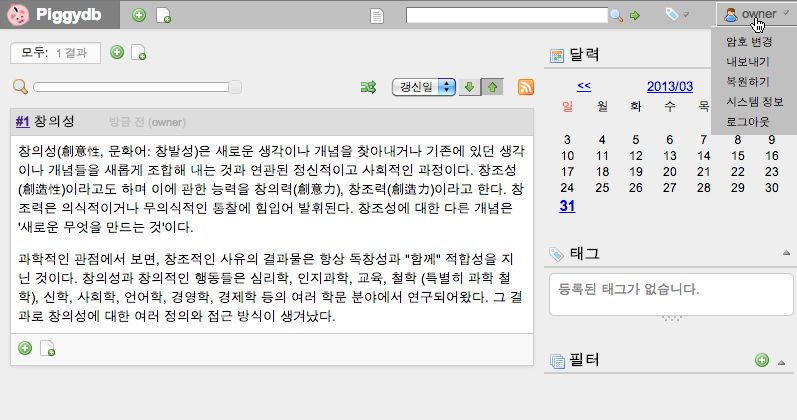
—-
You can download the latest release of Piggydb from: https://sourceforge.net/projects/piggydb/files/latest/download
Piggydb V6.9 – Document View for Smart Phones and Tablets
Posted: March 23, 2013 Filed under: uncategorized 5 CommentsDocument View lets you browse your content in a plainer and simpler style, which allows you to concentrate on the content itself when you just want to read it. It is also suitable for printing.
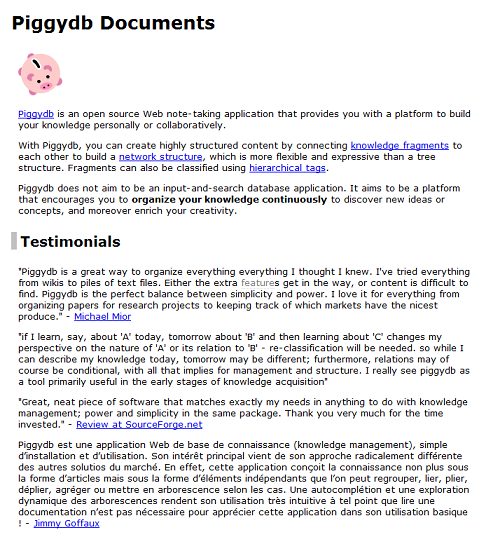
Though it is useful and one of the key features of Piggydb, I’ve left it without updates for a long time.
In this version, I finally made relatively large changes to this feature improving its navigation and adding support for smart phones and tablets.
In the new navigation, you can move to the parents if they exist and directly to the home fragment via the home icon at the top-right corner:
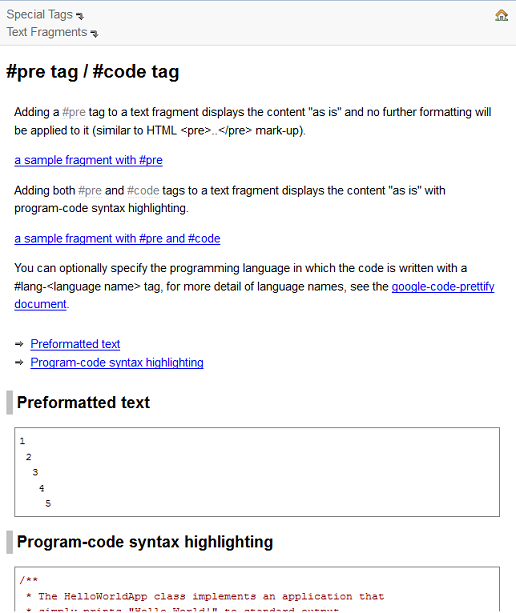
I also added a table of contents to each page, which is useful for grasping the outline when the page is large:
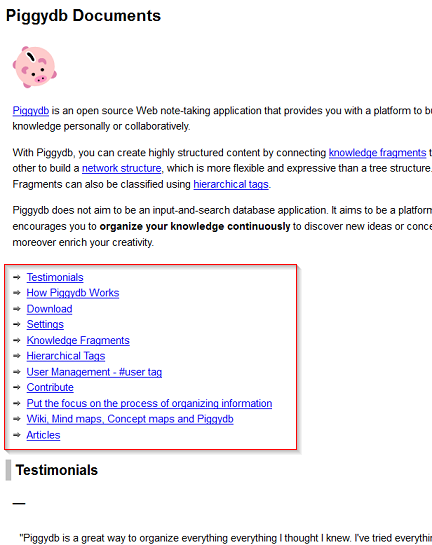
As the most important part of this update, Document View now supports smart phones and tablets:
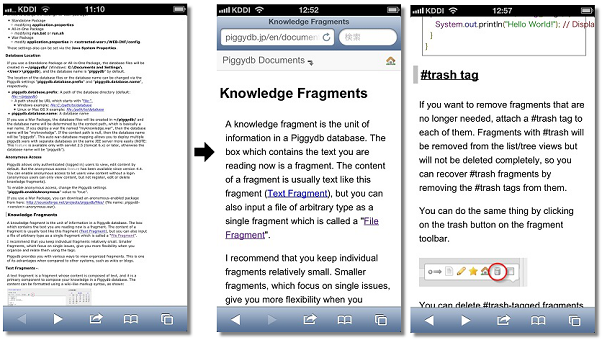
I think it will be a typical way to use Piggydb that you elaborate your knowledge on your desktop PC, then comfortably browse through it on your smart phone (yes, you need to set up a server to do this from outside your home network. I will take up this topic in detail in a future entry).
You can try out the new Document View at: http://piggydb.jp/en/document-view.htm
—-
You can download the latest release of Piggydb from here.
Why does Piggydb make your note-taking stand out from the crowd?
Posted: March 16, 2013 Filed under: essay 2 CommentsPiggydb changes the way of note-taking.
Note-taking was originally a top-down process. The ancient people started note-taking to record things on important subjects, using it as a device of artificial memory. Naturally, they needed to organize the contents of the memory well enough to be able to use the accumulated knowledge efficiently. But, because of the physical limitations of the old mediums (stone, wood, etc), they had to decide the structure of content in advance. It leads to so-called linear note-taking.
Linear note-taking is a technique where you take notes sequentially in an outline format (tree structure). In physical mediums, such as paper, you have to make an outline (roughly at least) before taking notes in detail since it is difficult to change the outline structure later. So if you want to create a large document, you need to combine linear and non-linear note-taking (free mapping), and evolve the document by rewriting the whole thing iteratively.
As the personal computing era began, there was a huge breakthrough in this area: the emergence of note-taking software. Note-taking software made restructuring notes extremely easy and allowed users to grow a structure by trial and error with virtually no cost.
This kind of note-taking software is typically called an ‘outliner’. Its more visual and free-formed alternative – mind mapping, has also grown popular among note-taking techniques. The common feature of these techniques is that they let you to take tree-structured notes in a top-down manner.
Let’s look at how this “tree and top-down” note-taking technique looks like in Piggydb.
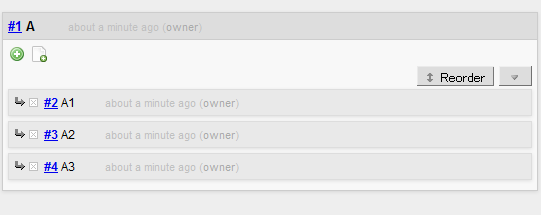
To begin with, you have to select a main topic (A), which becomes the root of the tree you are about to grow. And then, collect subtopics (A1, A2, A3, …) belonging to the main topic:
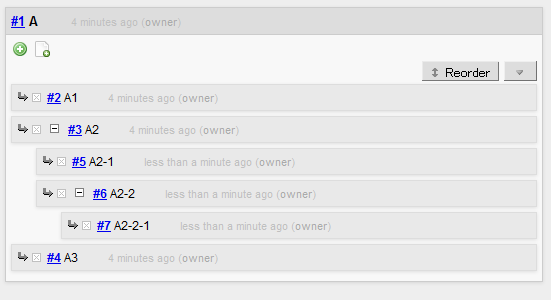
As you are taking notes, you can add a subtopic to any level of topic to extend the hierarchy:
And later on, you can change the order of any subtopics:

While this “tree and top-down” still seems to be the mainstream of note-taking and other information management techniques, a new trend has emerged in recent years as the amount of information each individual has to deal with increased.
In a tree structure, everything should be well sorted and organized, otherwise you could not find the information you need and when you need it. However, in reality, as the amount and variety of information grows, it becomes more and more difficult to maintain the consistency of the structure and you would end up not organizing it anymore.
As you all know, the technology that has totally changed the situation was search engines. With an effective search engine, you can access the needed piece of information whenever you want as long as you put the whole data into a place where the search engine can access it. This has changed personal information management to a large extent. I believe many of you stopped sorting your emails out when Gmail was introduced, and more generally, manage your information in a personal database such as Evernote.
These technologies have been gradually changing the role of “tree and top-down” so that it is utilized in more limited cases. For example, as a routine, people save incoming daily information to their personal database without sorting it out, and when they want to consider or investigate a certain topic, they search their database for related pieces of information which will become the ingredients of outcome cooked with “tree and top-down” or non-linear note-taking techniques.
It is a quite modern information management and seems to be enough for us to survive in today’s information-oriented world.
However, there is one important area, especially important in today’s world becoming flatter and flatter as a labor market, that these note-taking techniques have not focused on so far.
That is human creativity.
What the traditional note-taking has focused on is, as I mentioned above, extending human memory and efficiently grasping the outline of existing knowledge. But the most important (and interesting) part of intellectual production activities would be the process of discovering unknown concepts from a vast sea of information, not following existing knowledge (yes, it’s still important though).
It is an attempt to restructure the existing system of knowledge.
For most of students who keenly need note-taking, it might be all they could do to follow and absorb existing knowledge. But in order to stand out from the crowd in this digital era where you can get needed information quite easily, you need a technique leading you to the discovery of innovative ideas. That is the bottom-up note-taking Piggydb has proposed.
In bottom-up note-taking, you don’t need to select a main topic. Yet it is quite normal to select a certain topic as a starting point, but you are not bound to be within that area.
You just put incoming pieces of information into your database one by one:
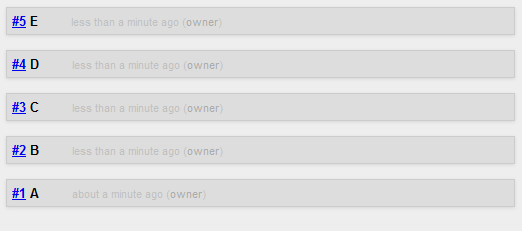
At the beginning, no remarkable structures are visible. But as the number of the fragments grow and you repeatedly review and shuffle them in the various views,

you discover an unexpected commonality across several fragments and create a new fragment representing the commonality:

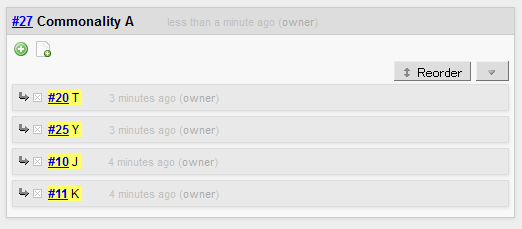
Then, after commonality fragments accumulate to some extent, you pick one that feels important to you and turn it into a tag,
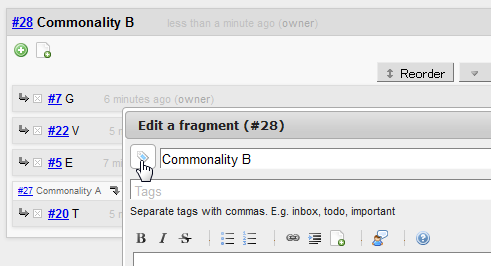
which distinguishes the fragment from others as a concept and provides you with a more useful base to build knowledge of the newborn concept.
That’s a brief introduction to the bottom-up note-taking in Piggydb.
With only “tree and top-down” and a remember-everything-type-of-database, it would not be easy for you to doubt the structure/premises behind the topic you have selected in the first place. These techniques would be good enough to grasp the structure of the cave you are exploring, but not suitable for searching for hidden treasures.
If you are practicing bottom-up note-taking, everyday will be filled with new discoveries. You will arrive at an unexpected destination (in a good sense, of course) and acquire your own thought framework.
Anyway, the best way to understand it is to try it out and experiment yourself. Piggydb is extremely easy to get started, so download the latest version from here and start your journey of knowledge creation right away.
Piggydb V6.8 – Improved Smart Layout
Posted: February 14, 2013 Filed under: uncategorized 2 CommentsIn version 6.4, I introduced Smart Layout, which automatically switches the page layout between vertical and horizontal layout according to the window width. However, this “experimental” implementation was, frankly, not very useful. So I updated it a little bit so that you can scroll each column independently:
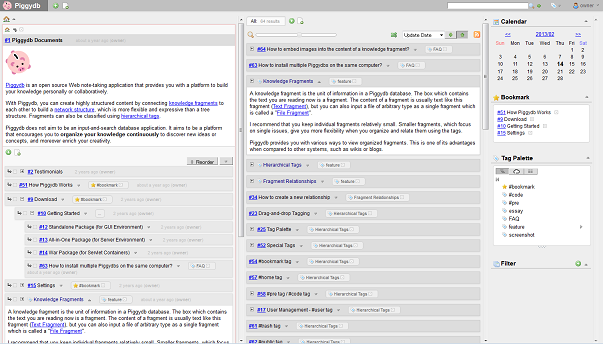
I also updated some pages (fragment, tag, etc) to maintain the horizontal multi-column layout when you jump to another fragment or tag page from the home page.
In future versions, I hope to update the layout to be more flexible and customizable so that you can handle and browse a large amount of fragments more efficiently.
—-
This release also contains several bug fixes, such as broken all-in-one package: http://piggydb.lighthouseapp.com/projects/61149-piggydb/tickets/42 (Thanks, Xin Yin!)
—-
You can download the latest release of Piggydb from here.
Piggydb V6.7 – Home Fragment
Posted: January 14, 2013 Filed under: uncategorized 2 CommentsHappy new year! This is the first release of this year.
This release introduces Home Fragment that changes the way to select the fragments shown at the home page.
In the older versions, fragments with a #home tag will be shown at the home page. However, this feature has some disadvantages. For example, you can’t put a tag-fragment without the side-effect where the tag-fragment will inherit #home’s feature unexpectedly, which means the fragments tagged with the tag-fragment will also be shown at the home page. Also you can’t control the order of the fragments at home page with #home.
So, the old #home tag has been replaced with Home Fragment whose child-fragments will be shown at the home page with the order maintained.
The following is the steps to replace your #home tag with Home Fragment. It will be a matter of seconds.
First of all, click on the #home tag to jump to the page of it:

In that page, you can view all of the #home tagged fragments. What you need to do is just to click on the “Add this fragment to home page” button for each of them. That’s it.
Clicking on the button will create a relationship from Home Fragment to the fragment:

Clicking on the home icon will navigate you to the page of Home Fragment where you can reorder the child-fragments shown at the home page:

—-
Another change in this version is the way to open the content of a fragment. You can do that by clicking on the header of a fragment, not needing to click on the tiny toggle switch anymore.

Thanks for the suggestion:
http://piggydb.lighthouseapp.com/projects/61149-piggydb/tickets/34
You can download the latest version from here.
Piggydb V6.6 – Shuffle!
Posted: December 31, 2012 Filed under: uncategorized Leave a commentThis is the last release of this year and a relatively important one suitable for the end of the year.
The new feature is Fragment Shuffle. A shuffle button has been added to Fragments View:
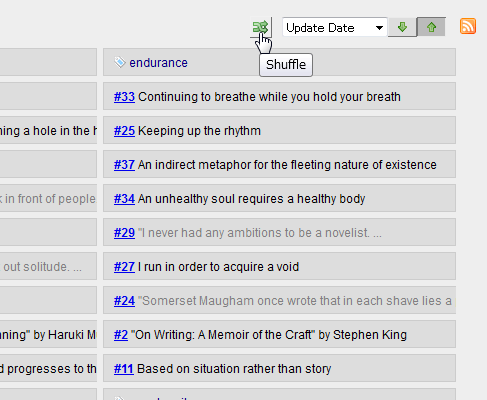
As you can probably tell, clicking on this button will shuffle the fragments that match the criteria in the Fragments View.
Although you might not understand the purpose of this feature well, it is a very important feature in the context of Knowledge Creation, which I’ve explained and will explain in details in the series of articles ‘The Piggydb Way’ and demonstrate in ‘Let’s Play: Piggydb Knowledge Creation‘.
So please stay tuned in to Piggydb project even if you aren’t using it now 😉
Thank you very much for your support in 2012 and wish you a happy and intellectually exciting 2013!
(You can download the latest version from here.)

 Piggydb
Recent Comments