
Piggydb V6.0-dev3 – Minor Improvements
Posted: June 12, 2012 Filed under: uncategorized 4 CommentsThis is a quick release to add minor improvements along with bug and style fixes (details).
Piggydb user Johnny Lau kindly redrew the Piggydb icon as a scalable vector graphic:

The Windows executable icon has been replaced with this beautiful high-resolution version:

Thank you, Johnny!
Piggydb V6.0-dev2 – On-the-Spot Full-Edit Anywhere
Posted: June 7, 2012 Filed under: uncategorized 6 CommentsThis release makes the new fragment editor, which was introduced in the previous version, available for updating fragments.
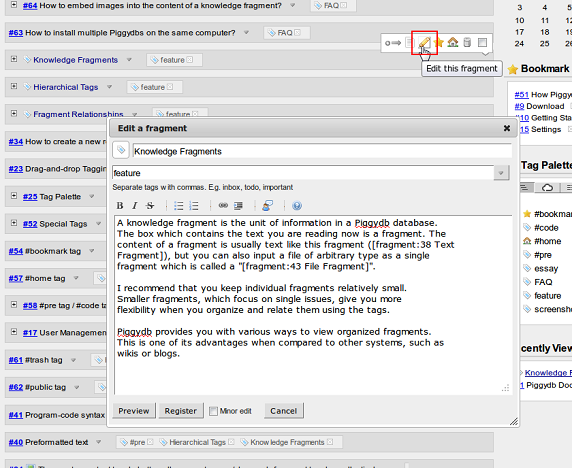
Clicking on the edit button opens the new dialog editor instead of the quick editor so that you can edit all of the fragment’s attributes, including tags, on the spot:
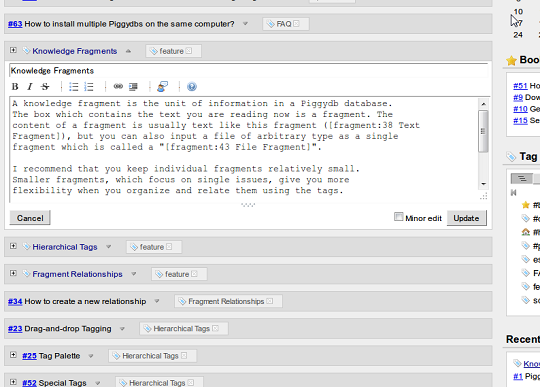
The quick editor is still available via double-clicking on the fragment’s content area:
Piggydb V6.0-dev1 – New Fragment Editor
Posted: June 1, 2012 Filed under: uncategorized Leave a commentLong time no see. Actually it’s been about a half year since I released the last version. During the long break, I carried on the development little by little (as you know if you follow me on Twitter) and finally released Piggydb V6.0-dev1 today.
In the development of the version 6.x line, I’m going to try to reform the user interface drastically. The first attempt is to replace the fragment editor with a new one:
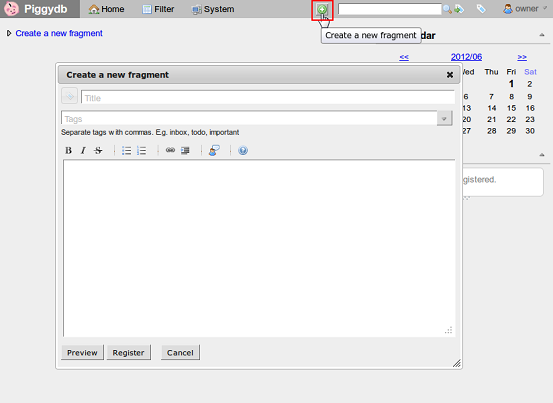
This new fragment editor is currently available only via the global “Create a new fragment” button in the menu bar. It’s going to replace all the old editors in the coming versions.
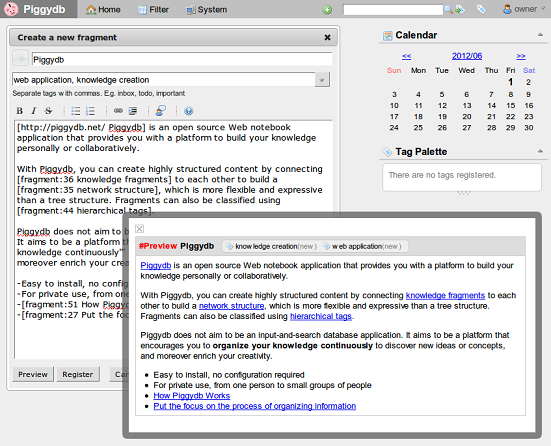
The new dialog-style editor can be applied ubiquitously compared to the old embedded-style editor, and makes it easy to edit larger fragments.
I thought before that keeping knowledge fragments small is a good practice in the context of knowledge creation and so the embedded-style editor would be enough for Piggydb. But now I’ve changed my mind. It would be better to wait to split information into small fragments until you need it, otherwise your database will be filled with junk that you end up never using.
Anyway, I am relieved to release the new version (it seemed never-ending) and looking forward to your feedback.
Piggydb V5.1 – Two-way Relationships
Posted: November 10, 2011 Filed under: uncategorized 14 CommentsPiggydb V5.1 has been released almost a month after I announced via Twitter that it would be released soon.
This release adds Two-way Relationship Creation and Display.
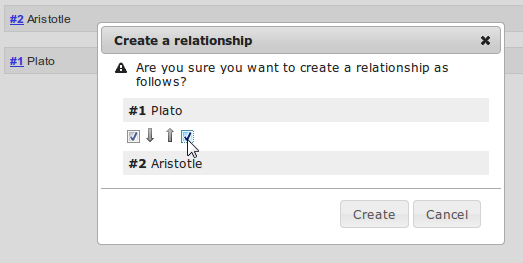
The “Create a relationship” dialog has been updated to provide you with more options for creating a relationship: the direction of a relationship, one-way or two-way.
The display of fragment relationships has also been updated to support two-way relationships.
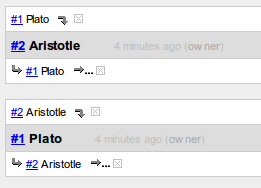
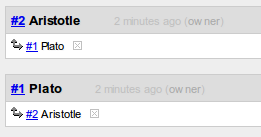
In the above display of the previous version, the relationships are displayed respectively as one-way while the new version provides a cleaner display for two-way relationships:
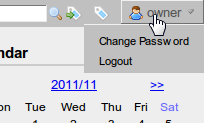
The user-related actions (“Change Password”, “Logout”) in the main menu have been moved to the pull-down menu at the login user name.
The tag cloud has been updated to exclude system tags that start with ‘#’ in order to focus on the concepts derived from user content.
Piggydb V5.0 released
Posted: September 5, 2011 Filed under: uncategorized 4 CommentsThis release includes several bug fixes and minor improvements and is released as stable version.
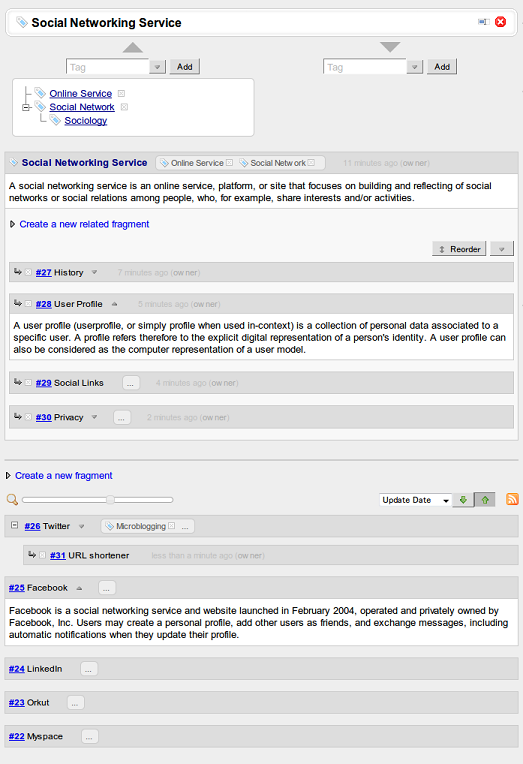
The first step of V5.x development was to introduce Tag-Fragment, which was an attempt to upgrade the role of tags from a mere index to representation of important concepts in a database:
Piggydb V5.0-dev5 released
Posted: August 30, 2011 Filed under: uncategorized 15 CommentsThis release adds a cloud view to the Tag Palettes:
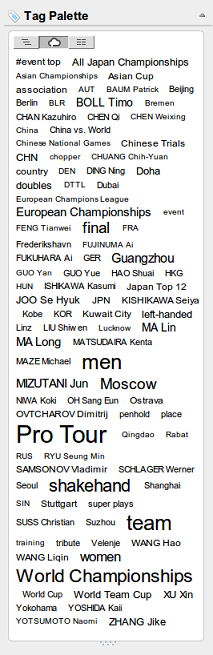
The cloud view also supports drag-and-drop tagging.
The Tag Palette on the sidebar has been updated to save the selection of the view type (tree/cloud/flat).
The releases of the V5.0-dev branch are experimental. So the default download remains version 4.23. If you want to try out V5.0-dev5, please download it from the links below:
Piggydb V5.0-dev4 released
Posted: August 25, 2011 Filed under: uncategorized 6 CommentsSuper-quick release 😉
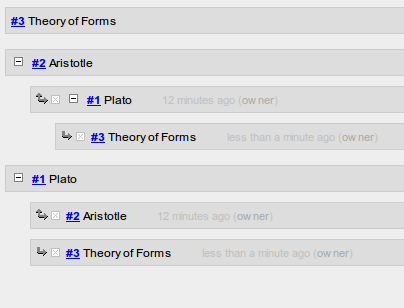
This release updates the fragment part of the tag-fragment page to have a full-fledged feature (to create sub-fragments and reorder them, expand the fragment tree, etc):
I think this screenshot represents what V5.0 is all about pretty well.
The releases of the V5.0-dev branch are experimental. So the default download remains version 4.23. If you want to try out V5.0-dev4, please download it from the links below:
Piggydb V5.0-dev3 released
Posted: August 22, 2011 Filed under: uncategorized Leave a commentThis release adds a feature to convert a tag into a tag-fragment.
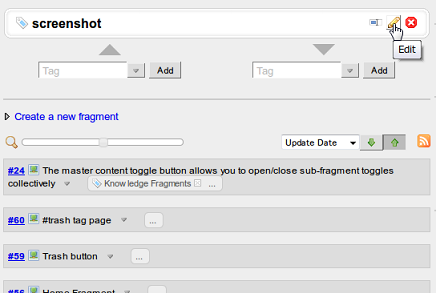
The edit button is shown on the tag page if the tag has no content. Clicking the button converts the tag into a tag-fragment and opens an editor for editing its content:
↓
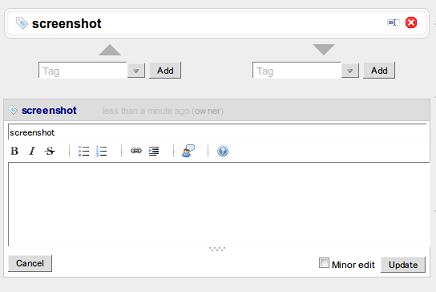
The Tag menu in the main menu was removed. Though the tag tree and tag cloud in the menu are not available in this version, they will be re-implemented to be more accessible in a later version.
The releases of the V5.0-dev branch are experimental. So the default download remains version 4.23. If you want to try out V5.0-dev3, please download it from the links below:
Piggydb V5.0-dev2 released
Posted: August 14, 2011 Filed under: uncategorized 25 CommentsFinally, the most important feature in V5.0 has arrived!
This release introduces Tag-Fragment, which allows you to use a knowledge fragment as a tag. It is simple to say, but it enhances the flexibility and expressiveness of Piggydb quite a lot.
In comparison to the impact on the internal model, the change of the user interface is trivial, just one magical button:
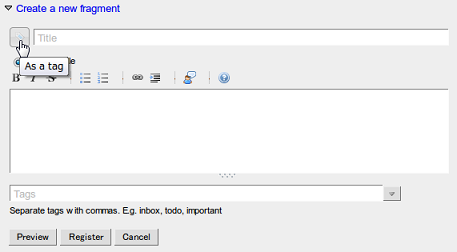
If you activate the “As a tag” toggle button when creating/updating a fragment, the fragment will be created/updated as a tag:
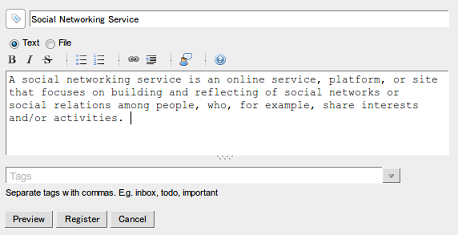
↓
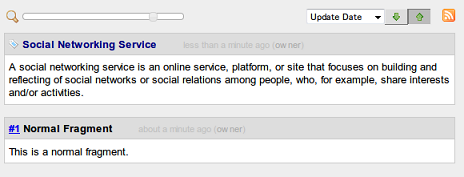
You may notice the tag icon at the head of the tag-fragment title instead of a number link.
The tag-fragment page shows the information of both tag-side and fragment-side of a tag-fragment.
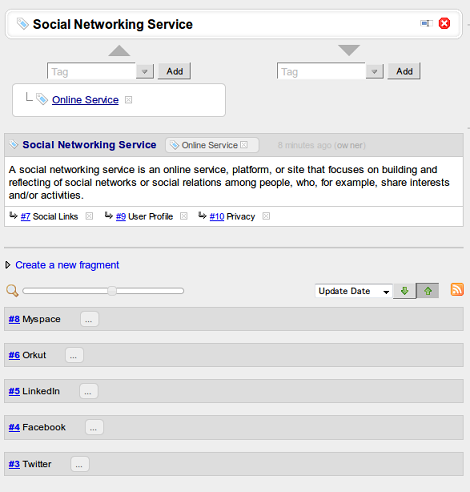
You can attach an “as a tag” attribute to a fragment anytime you feel necessary and remove it from a fragment just by deleting the tag:

I have been thinking about this update since last year, and finally released it as V5.0-dev2. Altougth it may seem like a trivial update, I expect that it will change the process of knowledge creation dramatically.
The releases of the V5.0-dev branch are experimental. So the default download remains version 4.23. If you want to try out V5.0-dev2, please download it from the links below:
Piggydb V5.0-dev1 released
Posted: August 6, 2011 Filed under: uncategorized 6 CommentsThis release is a preparation for the development of the next generation Piggydb: the features planned in V5.0 were not implemented in this release, only prerequisite changes were made.
The title field in the fragment form has been moved to the top:
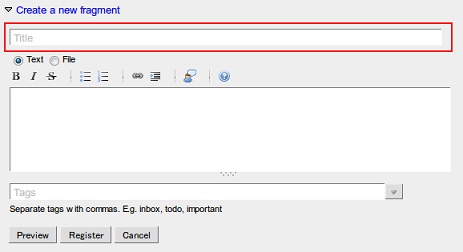
The Quick Edit feature has been updated to support editing a fragment title and a minor edit option as below:
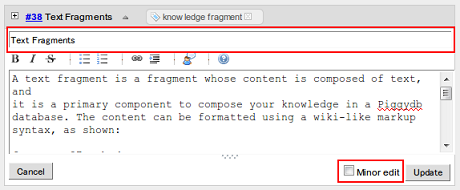
The releases of the V5.0-dev branch are experimental as I wrote in the previous entry. So the default download remains version 4.23. If you want to try out V5.0-dev1, please download it from the links below:

 Piggydb
Recent Comments