
Tagging Turned Out to Be Not So Flexible
Posted: August 1, 2011 Filed under: essay 9 CommentsI’m about to start the development of V5.x after deciding that V4.23 is the final version of the V4.x branch except for bug fixes.
As I wrote before, as of V4.23, Piggydb has not achieved its most important goal yet. In the V5.x branch, I’m going to update the core model to aim at the goal I originally set. Some of the old features you depend on might be broken in these changes, so until the new features are fixed and stable, V5.x versions will be released as experimental.
Although there are many things to do in the plan of V5.x, I’d like to write a little about one of the most important things.
I think that the biggest design failure of the current Piggydb is “tagging”. I had a preconception that tagging would be unconditionally useful and flexible, and didn’t think much about it and actually I’d not been a heavy user of tagging. And I thought the problems of tagging would be solved with Hierarchical Tags.
Tagging, or classifying, works well if the whole system of classification won’t change much. For example, Table Tennis Videos is one of the Piggydb demo sites and it shows a good example of a tag hierarchy: country, player, date, event, play style, etc. These kind of hierarchies would be relatively stable as you could easily imagine.
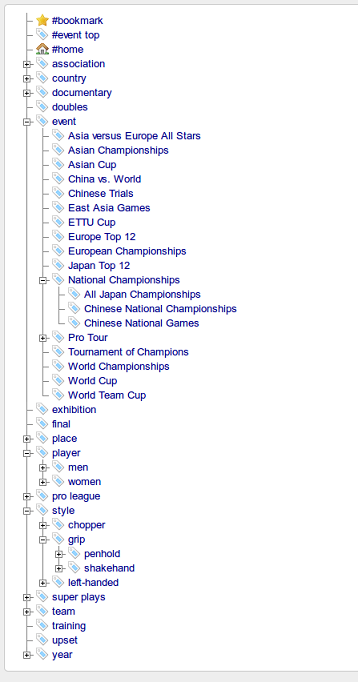
I guess most of the users use Piggydb in more or less the same way. But this kind of usage, applying the known (ordinary) system of classification to your knowledge fragments, would not lead to the goal I originally intended. I want to focus on knowledge that will be changing in the course of a learning process.
The problem is that tags are mainly used to search information, as a mere index of content. If your system of classification has changed as time goes by, you have to modify the existing taggings according to the change. The maintenance cost will increase as the database grows and finally it would be out of control.
But still, I think the concept of tags is important for Piggydb.
Suppose Piggydb doesn’t have tags. You can structure your knowledge like Mind Maps, Outliners, or Wikis just by connecting knowledge fragments to each other. But, as the number of fragments increases, you will gradually lose the grasp of the whole picture of your knowledge. Tags would provide you with the overview of your knowledge in that situation. Yet you couldn’t rely on tags as a perfect index for your knowledge for the reason mentioned above.
With all these issues in mind, how should I change Piggydb?
Although I don’t have any decisive ideas, there are some that I think are important. One of them is to change the tag model so that a tag becomes a specific form of a knowledge fragment. As your knowledge base grows, at some point, you can turn a knowledge fragment which you feel is important into a tag as an important concept and it can be related to wider range of fragments to research it further.
An important theme of Piggydb is how it encourages users to create their own tag cloud based on their knowledge fragments, not on their known system of classification. This goal isn’t impossible to achieve with the current version if there are some instructions, but I believe that it is meaningless unless a software itself has an affordance to convey its philosophy to users.
Piggydb V4.23 released
Posted: July 24, 2011 Filed under: uncategorized 2 CommentsThis release updates Tag Palette to have multiple views: “tree” and “flat”.

The left is old “tree” view, which allows you to find tags through the tag hierarchy, and the right is new “flat” view showing all the tags in a flat list. This feature was inspired by the feature request. Thanks to Jerome.
When tagging, out of sight means out of mind. Thus tags that are not at top level on the Tag Palette will tend to be underutilized.
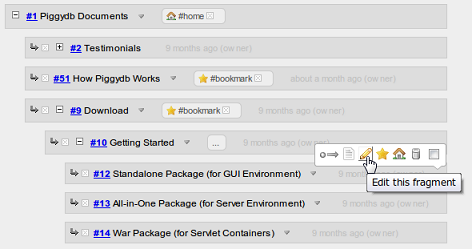
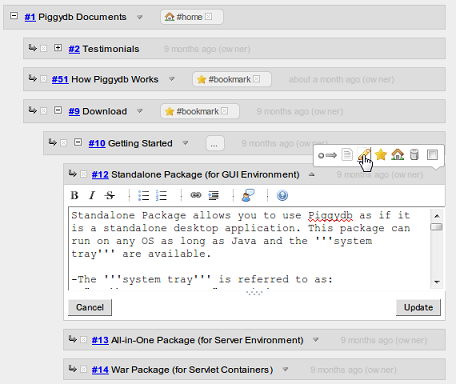
The Quick Edit feature, which was added in the previous version 4.22, was extended so that it can be used via the edit button (pencil icon) on the fragment toolbar. Which means, you can quickly edit fragments that have contents hidden or no contents.
↓
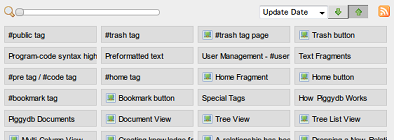
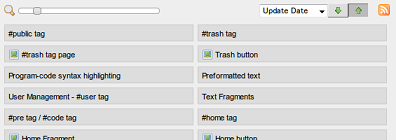
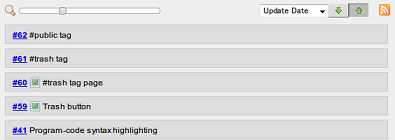
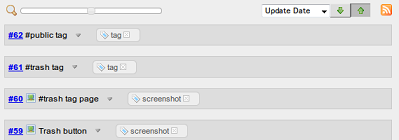
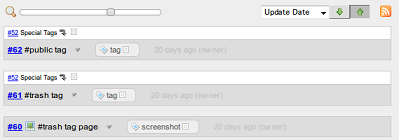
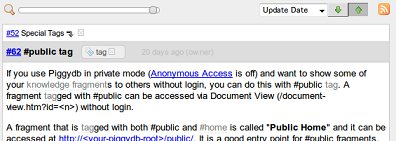
The Fragments View slider was updated to have a new variation of fragments display as below:
Piggydb V4.22 released
Posted: July 13, 2011 Filed under: uncategorized 5 CommentsThis release adds Quick Edit for contents of knowledge fragments, which allows you to edit fragment contents on the spot.
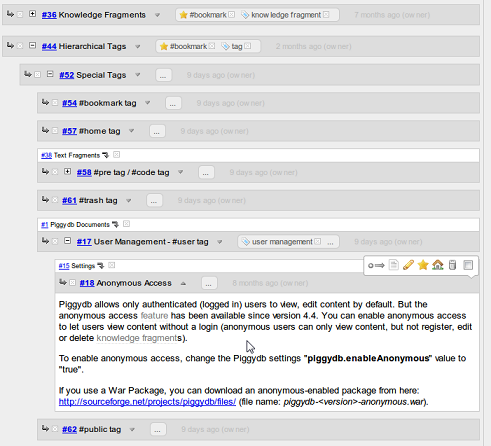
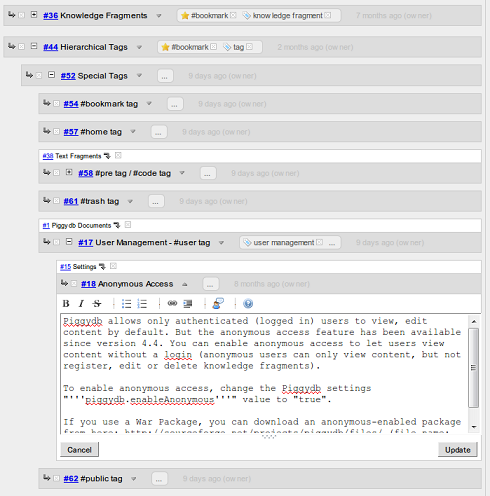
Double-clicking on a content area turns it into an editor:
↓
Piggydb Documents updated
Posted: July 4, 2011 Filed under: uncategorized Leave a commentDescription of Spacial Tags has been added to Piggydb Documents.
Piggydb is (intended to be) designed in such a way that it can be used without reading a manual. But since it is still an immature project, there are some features you may not know without instruction. Spacial Tags would be one of these features.
Spacial Tags – http://piggydb.jp/en/fragment.htm?id=52
Piggydb@Facebook
Posted: June 18, 2011 Filed under: uncategorized Leave a commentI have created a Facebook page for Piggydb.
Because I’m not an active user of Facebook, I don’t quite understand how it works yet. I just aggregated Piggydb-related feeds (including this blog) on the page. If you are a Facebook user, it would be helpful to follow almost all the activities of Piggydb.
http://www.facebook.com/pages/Piggydb/128024087272905
Piggydb V4.21 released
Posted: June 17, 2011 Filed under: uncategorized 5 CommentsThis release changes the fragment interface so that the content toggle is disabled when the content to display doesn’t exist.
In older versions, a fragment node box always has a content toggle button (▽) even when the fragment has no content. But clicking the button shows additional information: update-info and fragment-parents as blow:
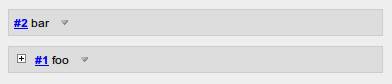
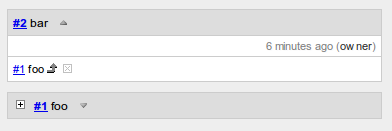
In this version, the toggle button is hidden when the content is empty, and the additional information that was placed in the fragment body was moved to the fragment header as below:
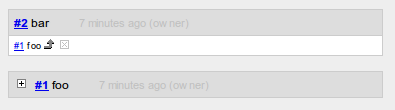
This change saves you from unnecessary clicks and allows you to traverse your fragment network more smoothly.
Download Piggydb V4.21 at https://piggydb.net/
Piggydb V4.20 released
Posted: June 6, 2011 Filed under: uncategorized Leave a commentIt’s been almost a half year since V4.19 was released last year. I’m back to the project and struggling to regain rhythm. This release is one of those steps.
This release fixes the memory leak bug caused by the database engine (H2 Database Engine).
http://groups.google.com/group/h2-database/browse_thread/thread/e1d39b41fcf15760
Just after this release, the source code repository was migrated from SourceForge.net to GitHub so you can tweak the code and feed it back more easily.
https://github.com/marubinotto/Piggydb
Download Piggydb V4.20 at https://piggydb.net/
Hierarchical Tags
Posted: May 2, 2011 Filed under: essay 8 CommentsLike many other Web 2.0 systems, Piggydb supports tagging to classify knowledge fragments.
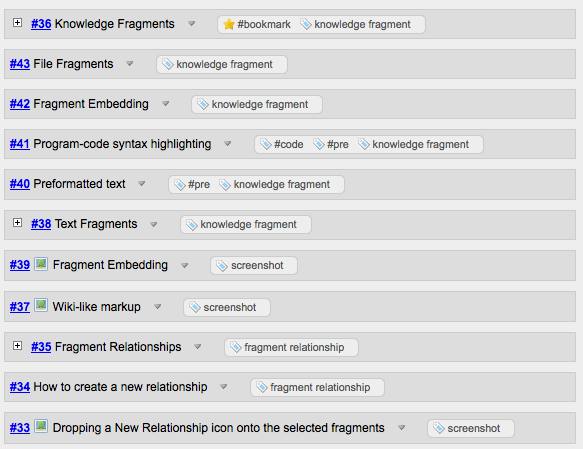
While tagging is simply for classifying a piece of information and allowing it to be found again by browsing or searching, in the context of folksonomy, its simplicity (non-hierarchical keywords) enables organizing information by many people collaboratively, known as “collective intelligence”, and connecting like-minded people.
Piggydb is not a social networking application, so it concentrates on the classifying nature of tagging. In terms of classifying, tagging has many advantages over existing systems such as directories/folders and categories. Tagging is generally more flexible and less brain-racking, and is used to resolve the “Bat problem”.
The ‘Bat problem’ was coined by Japanese economist Yukio Noguchi to describe a problem which arises when classifying information and goods. Material things and information can have multiple attributes that are used descriptively depending on the context (Bats have the properties of both birds and beasts – http://mythfolklore.net/aesopica/milowinter/43.htm).
Bat problem: http://data.lullar.com/%E3%81%93%E3%81%86%E3%82%82%E3%82%8A%E5%95%8F%E9%A1%8C
However, tagging also has its own problems. One of them is losing the grasp of the entire set of tags when the number of tags is growing. Piggydb offers hierarchical tagging to tackle this problem.
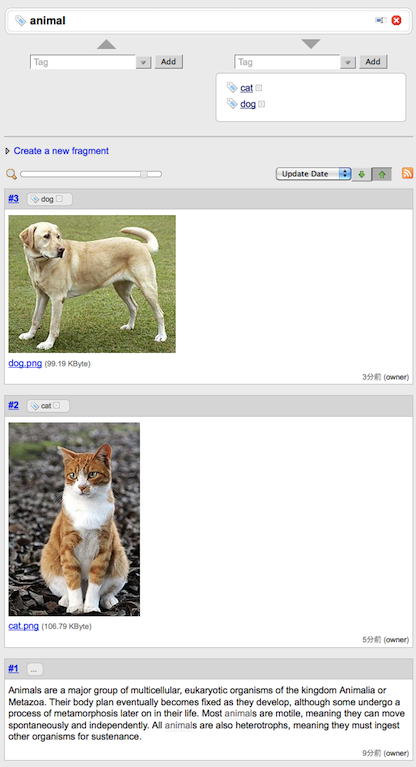
Hierarchical tagging allows you to classify a tag through other tags, exactly like knowledge fragments, and the classification is transitive; that is, if there is a tag “cat” classified with a tag “animal” and you classify some fragments with “cat”, then those fragment will be classified as an “animal” also. The hierarchical tagging feature allows you to classify fragments more naturally, and drill down a large number of fragments more easily and smoothly.
If you search fragments with the “animal” tag, all the fragments classified as “animal” will be selected, as shown:
Modifying the Look and Feel of Piggydb
Posted: April 29, 2011 Filed under: uncategorized Leave a commentPiggydb user Jerome J. Slote kindly shared his tips for modifying the existing look and feel of Piggydb, and moreover, an interesting way of extending the text formatting beyond the wiki markup set.
You may recall that I was looking for ways to insert invisible metadata into fragments: in particular, dates and tags that carry over from other systems when importing.
It turns out Piggydb has a “backdoor” capability that advanced users might find quite useful: text formatting in fragments, beyond the wiki markup set. This includes font changes, colors and highlighting, as well as the format I was seeking, invisibility.
The key is in the Stylish extension to Firefox, which superimposes style sheet specs that can be edited and toggled within the browser. I’d been using Stylish previously to customize Piggydb’s overall look and feel: serif font, eye-saving green background, a larger edit box, a smaller H1 display font in document view, and, most relevant to broader text formatting, the removal of internal tag highlighting in document view.
Style sheets, as you know, can alter the formatting of linking text according to the link’s target. So extended formatting can be accomplished by using dummy links whose format specs have been set up in the Stylish system.
Appended below is my Stylish sheet for Piggydb. You’ll notice a date format “dt”, a highlighting format “s1”, and an invisibility format “s0”. Within a fragment, any text that links to #dt, #s1 and #s0 is displayed in these formats if the style is toggled on. The hash mark makes for a more graceful response to an inadvertent click. Of course, these formatting links can be searched, so it’s easy to locate fragments with highlighted text, for example.
Piggydb’s integration with the browser and its extensions is a core advantage over standalone systems. Thanks for your vision, and for all you’ve done to make it real.
I think it is an amazing idea to add new formatting using a “href” attribute of a link. You can even add invisible metadata, which can be used for searching, to fragments.
The Stylish extension to Firefox:
https://addons.mozilla.org/ja/firefox/addon/stylish/
The Stylish extension is really cool and I think it’s also very useful for web designers and developers to test their styles.
And the following is the Jerome’s Stylish sheet for Piggydb:
@-moz-document url-prefix("http://localhost:8080/") {
  * {
    background-color: #9fa583 !important;
    font-family:"georgia" !important;
  }
  a:link {
    color: black  ! important;
    border: transparent !important;
  }
  a[href$='s1'] {
    text-decoration: none !important;
    background-color:#CDBE70 !important;
  }
  a[href$='s0'] {
    display: none !important;
  }
  a[href$='dt'] {
    text-decoration: none !important;
    font-weight:bold;
    font-style:italic;
    font-size:small;
  }
  a[href$='tag.htm?id=777'] {
    background-color:orange !important;
    border: red !important;
    font-variant:small-caps!important;
    color: #777 !important;
  }
  body, span,  div, td,  h1, h2, h3, h4, h5, h6, li {
   background-color:#9fa583 !important;
   color: #011
  }
  * textarea {
    background-color : #9a9a9a!important;
    width: 4.5in !important;
    height: 3.2in !important;
  }
}
@-moz-document url-prefix("http://localhost:8080/document-view.htm") {
  * {
    background:#9fa583 !important;
  }
  body, span,  div, td,  h1, h2, h3, h4, h5, h6, li {
   background-color:#9fa583  !important;
   color: #011
  }
  H1 {font-size:medium!important;}
  H2 {font-size:small!important;}
}
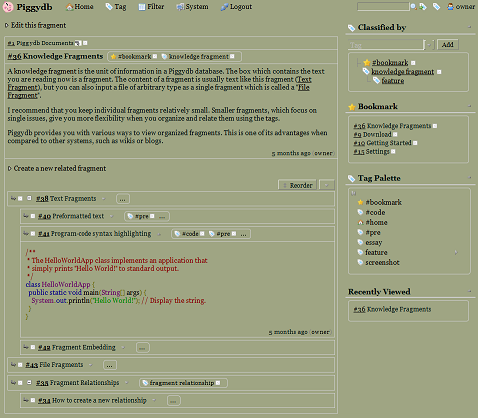
The image below is how the page looks like with the additional style sheet:
Piggydb V4.19 released
Posted: December 24, 2010 Filed under: uncategorized 20 CommentsThis release upgrades the database engine (H2 Database Engine) to the latest stable version (1.2.147), which supports a more robust database file format.
Although the new format is not compatible with the older versions of Piggydb, this version supports automatic file conversion: the old database files will be converted into the new format automatically during startup.
H2 Database Engine: http://www.h2database.com
Download Piggydb V4.19 at https://piggydb.net/

 Piggydb
Recent Comments