
Piggydb V4.18 released
Posted: November 15, 2010 Filed under: uncategorized 1 CommentThis release adds a ‘New Relationship’ icon (+→) to the fragment toolbar. Dragging this icon from one fragment and dropping it onto another creates a new relationship between the two fragments.
You can create a relationship easily using drag-and-drop as follows:
There is a New Relationship icon (+→) on the fragment toolbar.
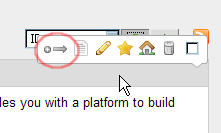
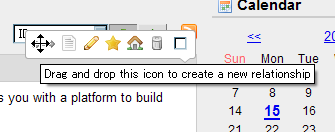
Drag this icon,
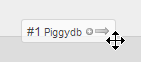
and drop it onto another fragment.
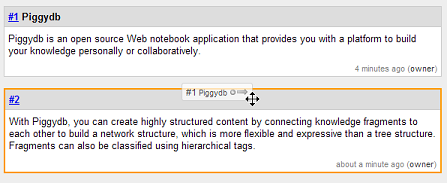
A new relationship will be created as shown:
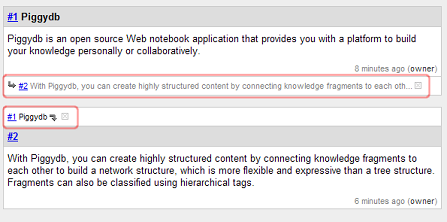
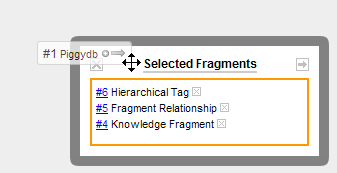
Dropping the icon onto the “Selected Fragments” box creates a new relationship with many fragments in one operation.
Download Piggydb V4.18 at https://piggydb.net/
Piggydb V4.17 released
Posted: October 15, 2010 Filed under: uncategorized 2 CommentsThis release extends the sidebar with two new sidebar widgets: “Tag Palette” and “Filter“.
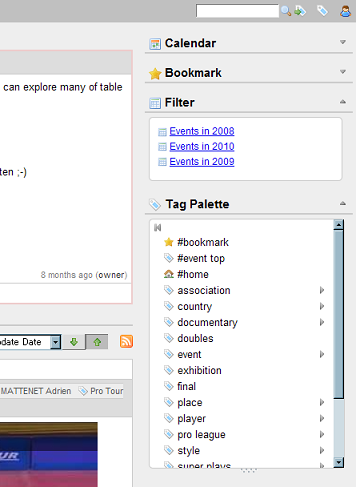
The Tag Palette in the sidebar has the same features as the existing pull-down Tag Palette on the main menu bar, also supporting drag-and-drop tagging.
As a result of this addition, the sidebar now has all the basic quick accesses to fragments: “Bookmark”, “Filter”, “Tag Palette” and “Recently Viewed”.
Because of the increased number of sidebar widgets, a show/hide toggle button has been added to each widget to allow users to fold (“hide”) unnecessary widgets.
Download Piggydb V4.17 from https://piggydb.net/
Piggydb V4.16 released
Posted: October 5, 2010 Filed under: uncategorized Leave a commentThis release adds a master content toggle button to the fragment page (fragment.htm), the button allows users to open/close sub-fragment content toggles collectively.
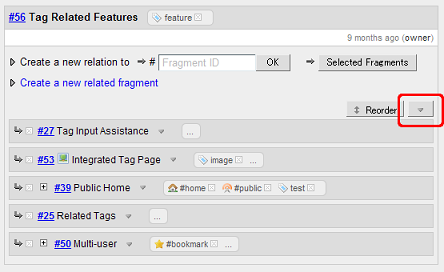
This release fixes the bug where when dragging a fragment in “reorder” mode other fragments would act, incorrectly, as drop targets.
Download Piggydb V4.16 from https://piggydb.net/
Piggydb V4.15 released
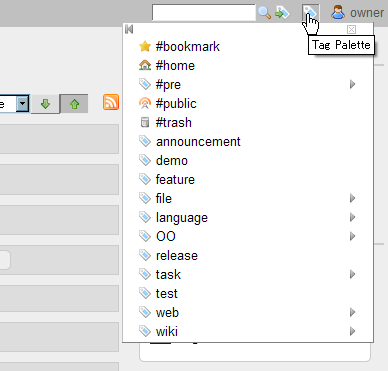
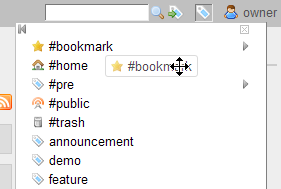
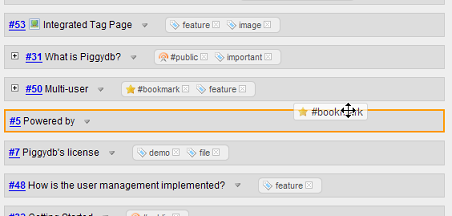
Posted: September 28, 2010 Filed under: uncategorized 2 CommentsThis release adds Drag-and-drop Tagging, which allows you to drag a tag from the Tag Palette and drop it onto a fragment.
Clicking the tag icon on the right side of the main menu bar shows the Tag Palette:
You can drag a tag from the palette:
And you can drop it onto a fragment:
Download Piggydb V4.15 from https://piggydb.net/
Wiki, Mind maps, Concept maps and Piggydb
Posted: September 24, 2010 Filed under: essay 7 CommentsBefore I created Piggydb, I had been using a Wiki for storing and organizing my thoughts, ideas, article excerpts, and anything else I wanted to write down. Although a wiki provides an extremely simple and flexible way to organize your knowledge in a network structure, I came to feel that it was not well suited for what I wanted to do. As I used it more extensively, I found that the data structure of a wiki was not flexible enough when I want to reuse some part of a page in different context.
Another drawback of a wiki, for me, is that it encourages you to organize your knowledge in a top-down manner, that is, you have to select a main theme as a starting point. But I wanted to write down anything I thought could be useful and organize afterward, as needed.
So I decided to create a software program to meet my needs. The first concept was that users can input finer grained units of information (which I call “knowledge fragments”) and organize them more freely and flexibly. Also, since knowledge fragments can be classified using tags, I thought it would lead to a more powerful tool for knowledge management while retaining the simplicity of a wiki or other notebook applications.
But as I experimented with Piggydb’s knowledge creation, I found out that it did not work as well as expected. I thought originally some sort of structure would gradually emerge in the continuous organization of knowledge fragments with tags. But there’s something missing still in Piggydb to achieve this goal.
What is the missing part? I will try to illustrate this below by comparing two well-known knowledge representation techniques, “Mind Maps” and “Concept Maps”. Concept maps, which I happened to find about recently, are similar to the Piggydb concepts. The contrast between these techniques helps to understand the aim of Piggydb.
The principal difference between these techniques is the structure of their knowledge models. A mind map is a tree which has a central governing concept at its root, while a concept map is a network of concepts. Why is mind mapping far more popular than concept mapping? One of the reasons would be the simplicity of tree structure, which you can create quickly and afterward follow and comprehend easily. A mind map also helps you focus on a single topic during the organization of your knowledge. The combination of this strength of trees and visual images promotes human understanding dramatically, and it is why mind mapping is so popular as a tool to understand or memorize whatever you want to, in a short time.
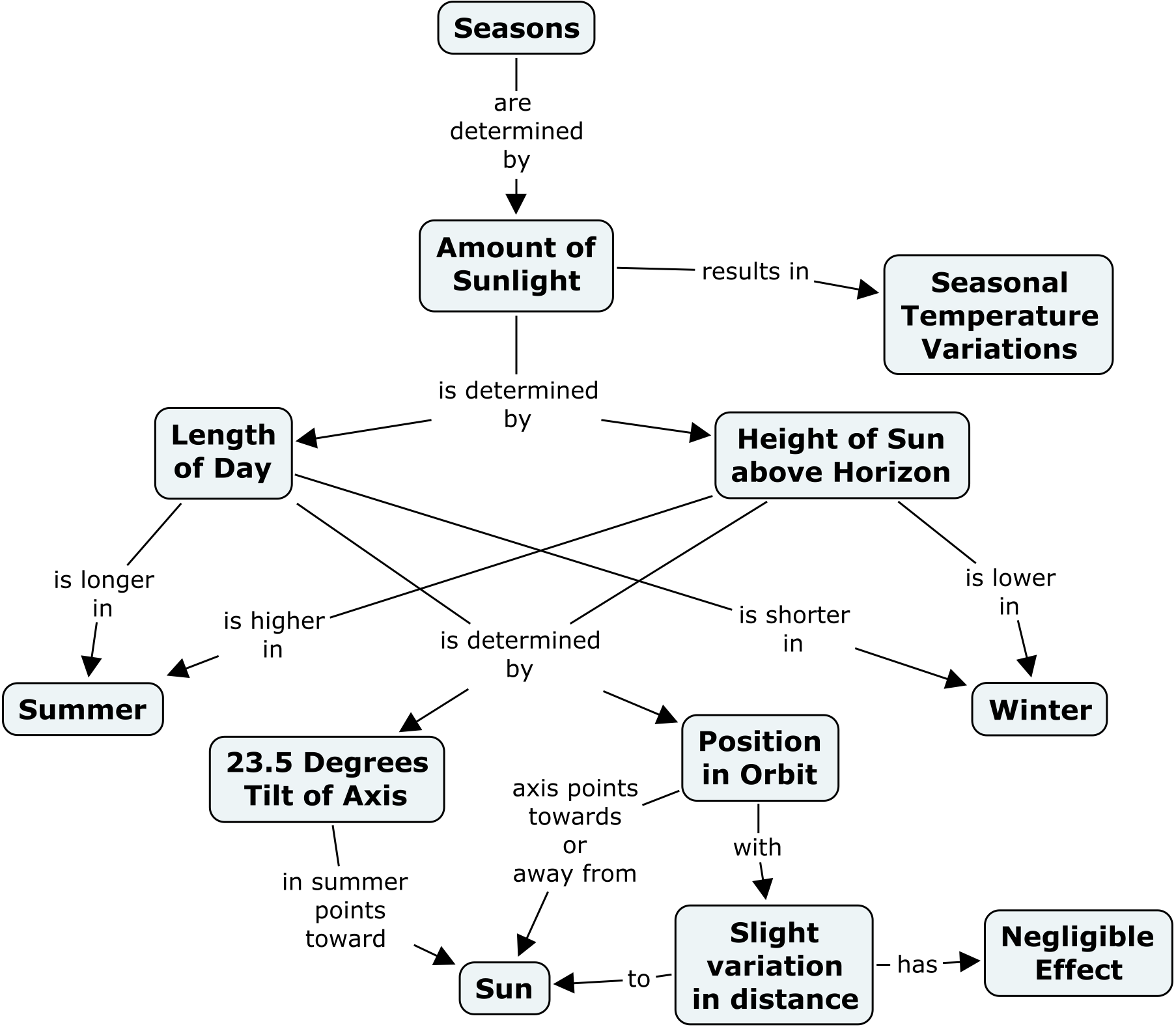
On the other hand, concept maps are not as simple as mind maps and more difficult to create, but still easy to understand and intuitive to read. The strength of concept maps is their expressiveness which allows you to explain more complex relations (see the interesting example from the above site, it explains why we have seasons).
Piggydb adopts a network structure to represent knowledge as concept maps because a network is more capable of managing a large number of interrelated topics, so it is more suitable for a database-like system than a tree structure. Moreover, a network is more flexible and allows you to connect between concepts in different fields, which is called “cross-links” in concept mapping. That, in my view, is the key to creativity.
When I first saw concept maps, I thought that is where Piggydb’s knowledge creation process should lead. This process would start with collecting concrete materials, gradually evolve an abstract structure from them, and then, finally, produce a concept map-like conceptual knowledge map. But there is a part missing to realize this process, and as I wrote above, filling this gap will be the main theme of version 5.x.
One of the flaws of the current Piggydb is that when a user classifies fragments they tend to select categories they already know, which is the opposite of the aim of Piggydb: creating/finding new concepts. This is partly because the Piggydb’s tag system doesn’t much differ from the existing Web 2.0 tag systems and users tend to use it in a way they have already learned. In terms of the data models, tags should have been designed as a specific form of a fragment so that a user can create concepts from existing fragments and tags, and organize them in the same way.
You can use Piggydb as a wiki-like content management system or an Evernote-like database system, and I myself actually use it so in some cases, for example, Piggydb.jp. But as you already know, the goal of Piggydb is a little different from these systems. Although this goal is not fully achieved yet, I’m developing it to be a platform that encourages you to (re-)organize your knowledge continuously to discover new ideas or concepts, and, hopefully, to enrich your creativity.
Next: The Piggydb Way: #1 Tag as Concept over Tag as Index
Piggydb V4.14 released
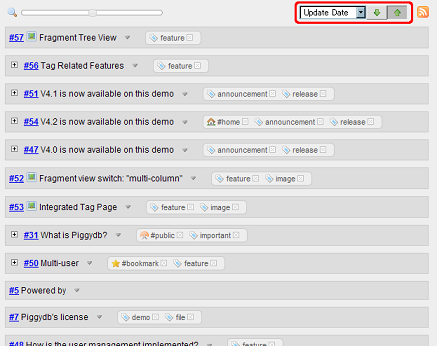
Posted: September 8, 2010 Filed under: uncategorized Leave a commentThis release adds a sorting feature to the fragments view:
The calendar interface was updated to allow users to select a month as well as a day:
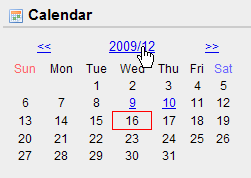
Download Piggydb V4.14 from https://piggydb.net/
Piggydb V4.13 released
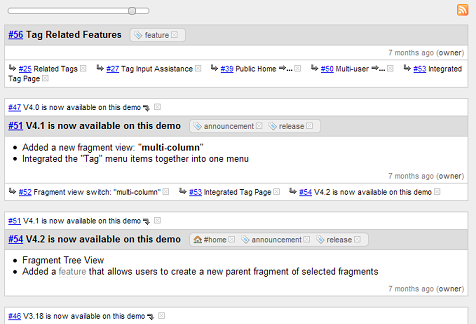
Posted: August 11, 2010 Filed under: uncategorized Leave a commentThis release updates the fragments view to have a slider interface which allows users to zoom in and out on knowledge fragments.
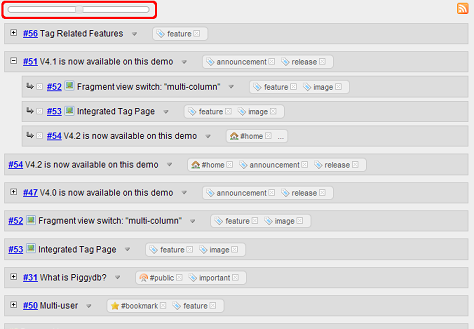
Sliding the slider to the left zooms out on the fragments:
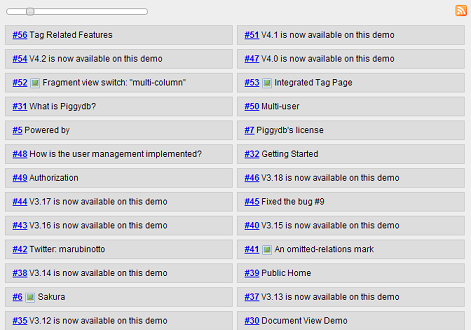
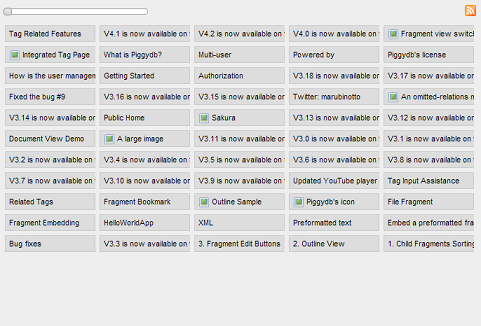
Sliding the slider to the right zooms in on the fragments:
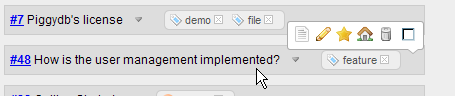
The fragment toolbar was redesigned not to hide the controls on the fragment header.
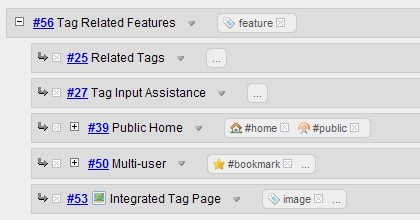
The fragment’s tag display was updated to hide context tags with a “…” link by default, so as to avoid the verbose repetition of tags.
Download Piggydb V4.13 from https://piggydb.net/
Piggydb V4.12 released
Posted: July 15, 2010 Filed under: uncategorized 2 CommentsThis release merged the existing two sub-fragment views (detail/tree) into a new “tree” view.
Clicking the “Reorder” button enables a “reorder mode” in which you can reorder the sub-fragments (the direct children of the target fragment) with drag and drop.
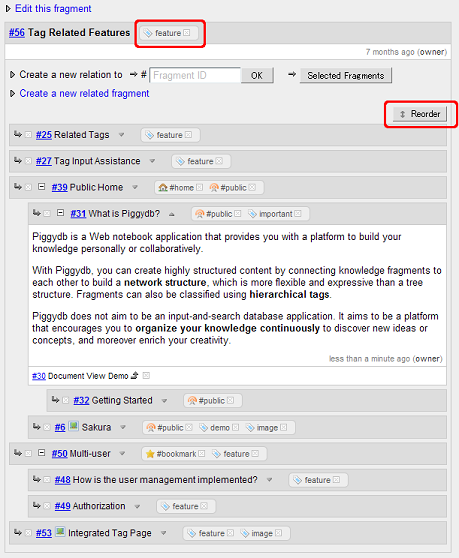
The position of the fragment tags was moved from the bottom of the fragment content area to the fragment header as in the above screenshot.
Piggydb V4.11 released
Posted: May 20, 2010 Filed under: uncategorized Leave a commentThis release updates the fragment-tree view to have toggle buttons for each node to show or hide its content.
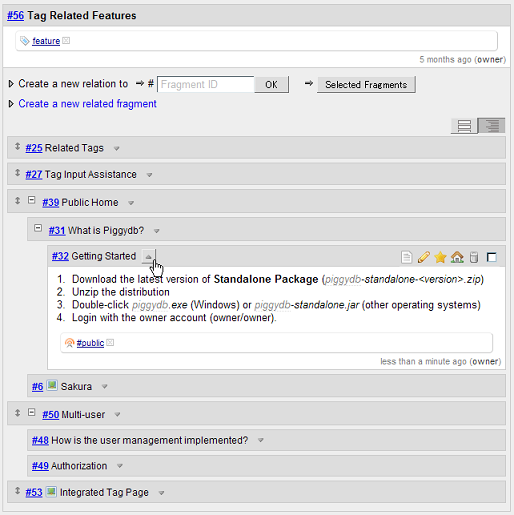
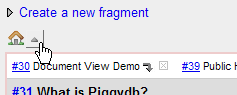
The home toggle button was added next to the home icon, which allows you to show or hide the home fragments.
The Standalone Package was updated to be multi-platform compatible. The package can run on any OS as long as Java and the system tray are available.
Fixed a bug: http://sourceforge.net/apps/trac/piggydb/ticket/23
Piggydb V4.10 released
Posted: May 7, 2010 Filed under: uncategorized Leave a commentThis release adds a new package, Standalone Package for Windows, which allows you to use Piggydb as if it is a standalone desktop application.
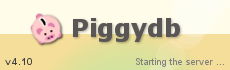
Double-clicking piggydb.exe in the package starts the server with a splash screen, as below.
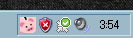
The Piggydb icon is displayed in the task tray while the server is running, and you can control the server with the right-click menu of this icon.

 Piggydb
Recent Comments